Hello SuperCat Users,
The worst feedback we can get is "I didn't know it could do that."
This release is built to make two capabilities impossible to miss: the updated Admin Console, a cleaner place to do the admin work you already do every week, and Rep Activity Tracking, so you can finally see the field work that happens before an order.
The updated Admin Console is ready to switch on today. Rep Activity is available on request — contact Support and we'll enable it for your organization. Here's what each does, and exactly how to turn them on.
⬇️ Here's what's new:
Table of Contents
- 1. Updated Admin Console – New Look & Feel
- 2. Rep Activity Tracking – New Feature
- Improvements
- We'd Love Your Feedback
🖥️ 1. Updated Admin Console – New Look & Feel
Cleaner navigation, clearer pages, and the same workflows you already know.
- A refreshed shell. Sidebar navigation, clearer page headers, and a consistent layout across the tools you use most.
- Same work, easier to scan. Products, customers, orders, users, imports, and settings all work the way they always have — they're just faster to move through.
- Less noise on the pages you live in. Built around how admins actually spend their week.
💡 Why this matters: Admin Console is where your catalog, customers, users, and imports get managed. This update makes that work clearer and quicker — and it's where the new Rep Activity views live.
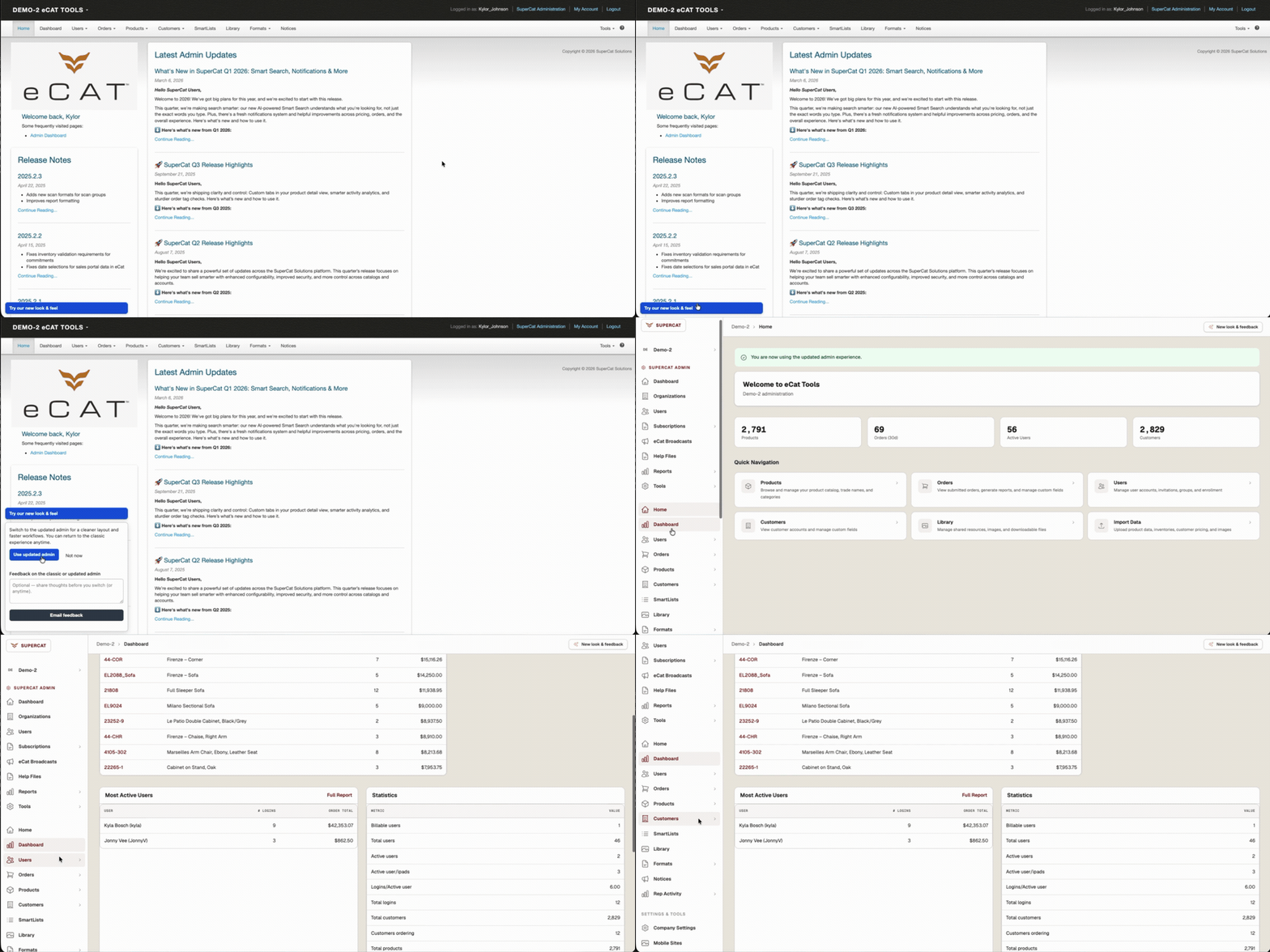
How to turn it on
- Sign in to Admin Console.
- Open "Try our new look & feel" (bottom-left).
- Select Use updated admin.
How to leave feedback
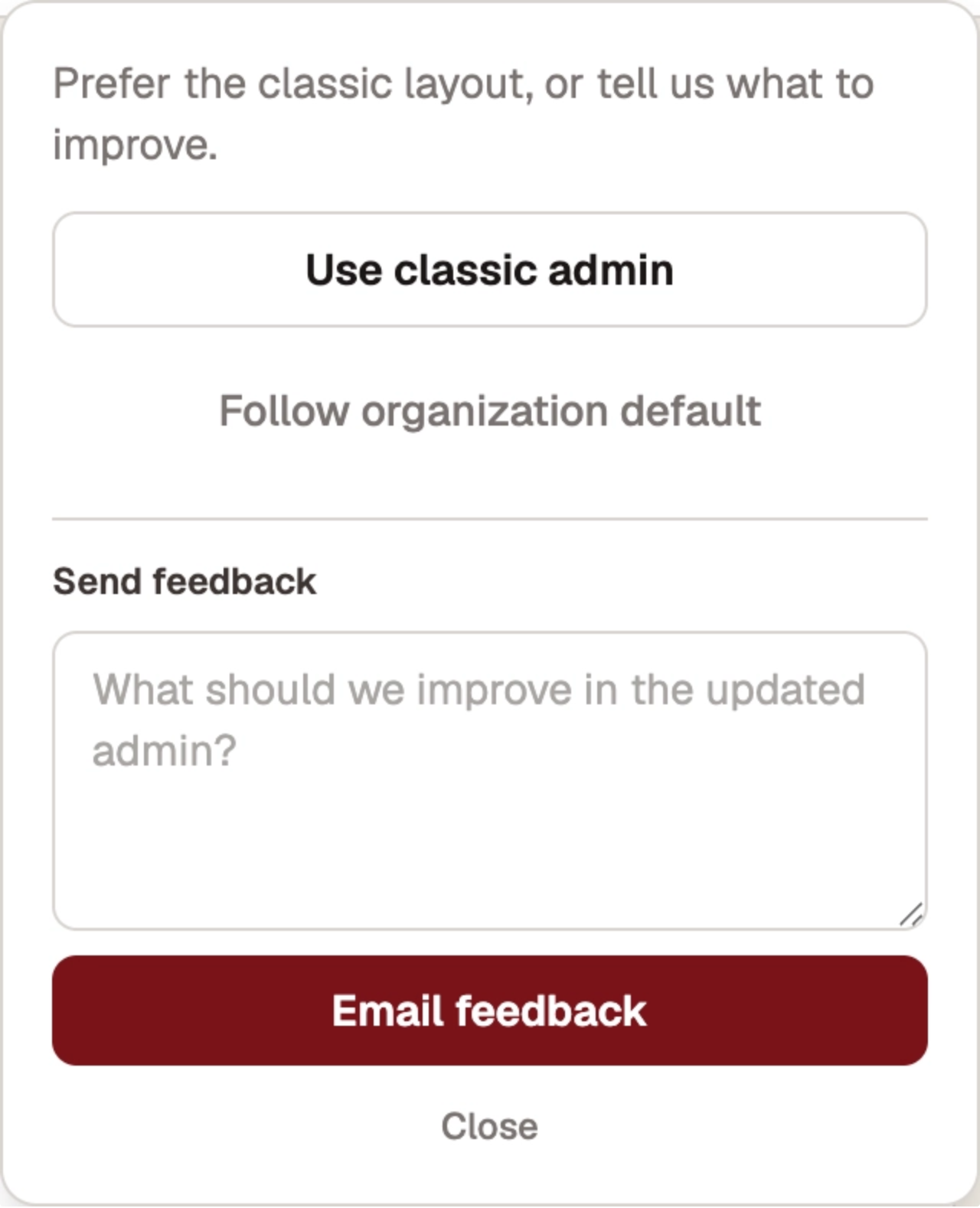
Tell us what's working and what isn't. In the updated Admin Console:
- Open New look & feedback.
- Enter your comments in Send feedback.
- Tap Email feedback.
You can also reach us any time at support@supercatsolutions.com.
✅ eCat Admin | ◽️ eCat Online | ◽️ eCat iPad
📋 2. Rep Activity Tracking – New Feature
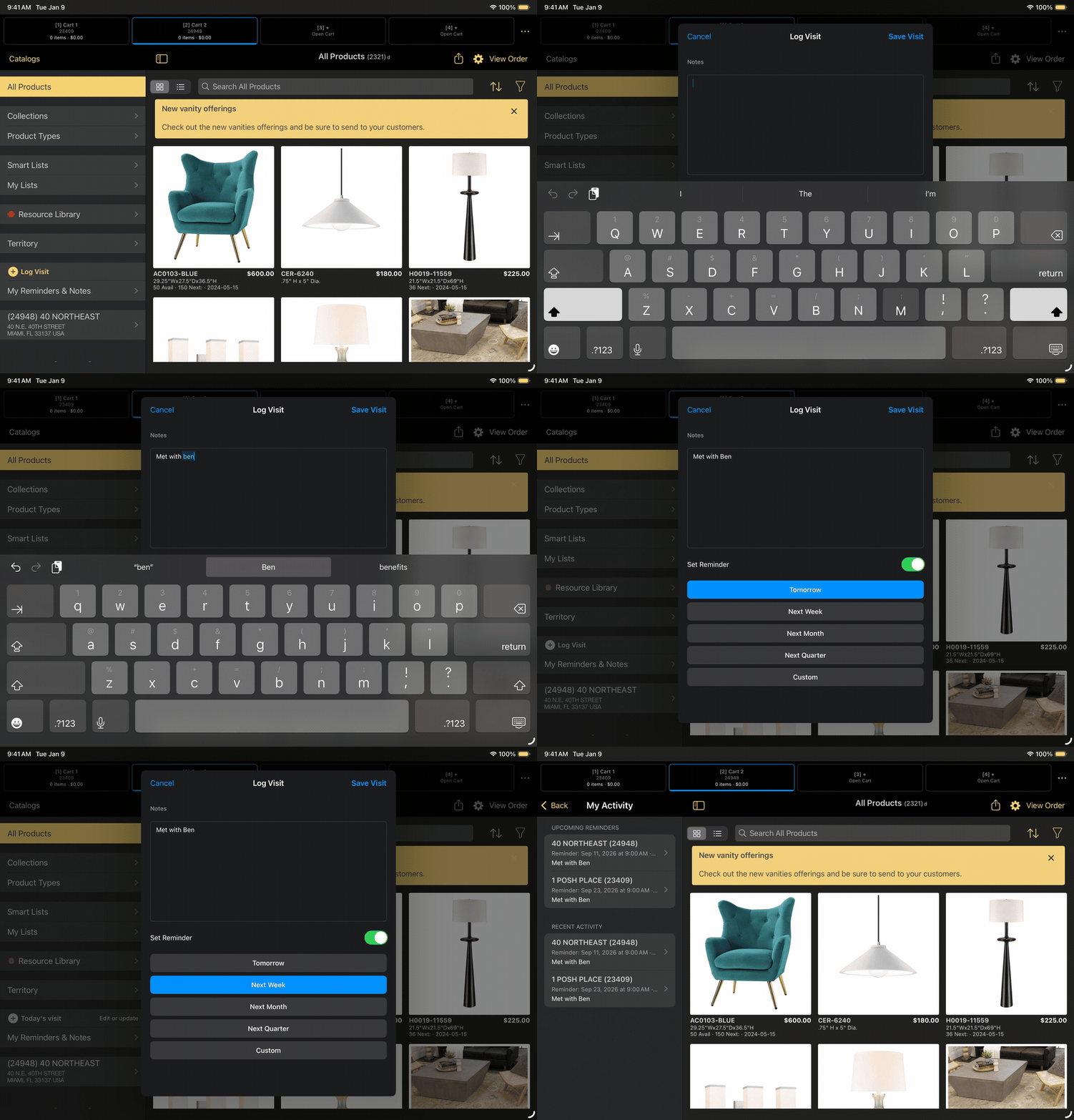
One tap from the Activity section logs a customer visit — with optional notes and a follow-up reminder — and admins see it in Rep Activity the same day.
- Log a visit in one tap. With a customer selected, reps open the left-nav Activity section and tap Log Visit to record field activity without leaving eCat. (Log Visit is the default label — your organization may have renamed it.) Logging requires a customer; if none is selected, eCat prompts "Please Select a Customer" and then continues.
- Optional internal notes. Capture who the rep met with and what to follow up on. Notes stay inside SuperCat — they are never sent to the customer.
- Optional follow-up reminders. A rep can set a reminder while logging, get an email when it's due, and review what's coming up under My Reminders & Notes on the iPad.
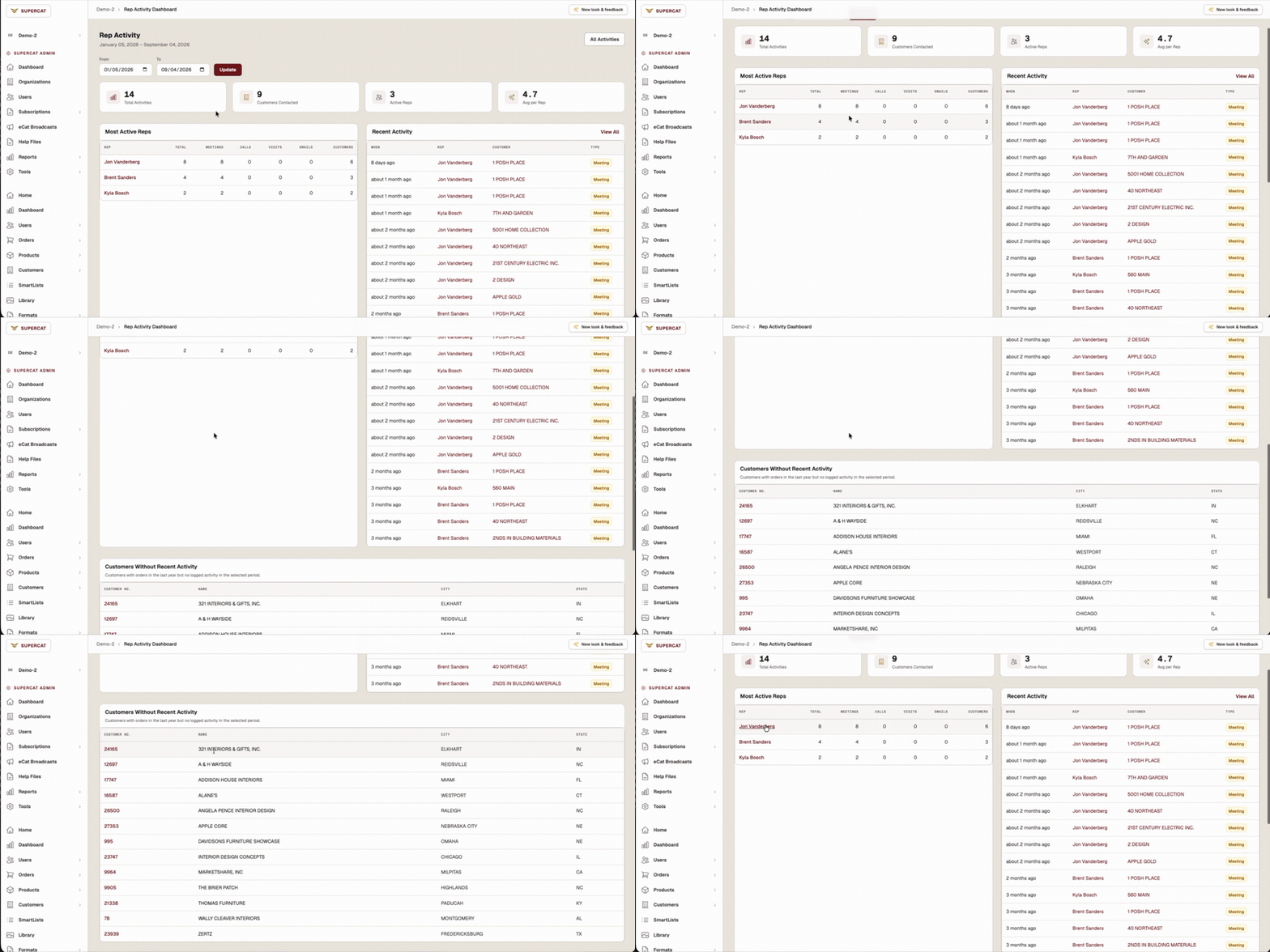
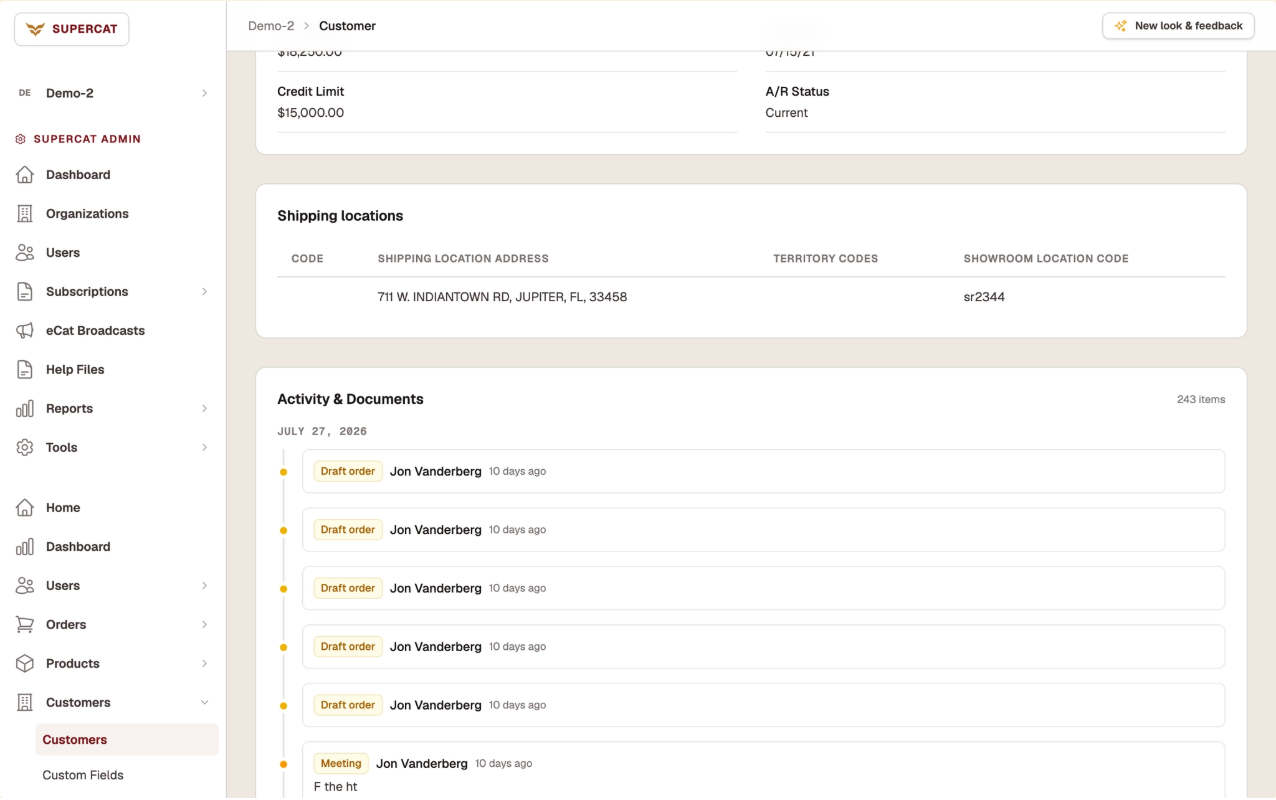
- Same-day admin visibility. Admins get a Rep Activity section in the updated Admin Console — a Dashboard, an Activities list, and a customer Activity & Documents timeline that puts logged activity next to drafts and orders.
💡 Why this matters: Orders only tell you what closed. Rep Activity Tracking makes the field visits and follow-ups visible too — so you're not reconstructing the story from submitted orders and memory.
How to turn it on
Rep Activity Tracking is enabled per organization by SuperCat, so there's nothing to switch on yourself.
➡️ Contact SuperCat Support and ask us to enable Rep Activity for your organization. We'll turn it on and confirm when your reps can see the logging controls.
📍 Note: Rep Activity views live in the updated Admin Console only — they don't appear in the classic console. If your organization hasn't switched over yet, do that first (see the Admin Console section above).
Once it's on:
- Reps update / sync eCat so the new setting is live on their iPads.
- Select a customer — logging requires one (eCat will prompt if needed).
- Tap the log button in the left-nav Activity section to record the visit, plus any notes or a reminder.
- Admins open the updated Admin Console → Rep Activity for the Dashboard and Activities list, and open any customer to see the Activity & Documents timeline.
✅ eCat Admin | ◽️ eCat Online | ✅ eCat iPad
Improvements
📦 See order drafts in Admin
- Draft orders are no longer invisible until submit. With Rep Activity enabled, org admins can open Rep Activity → Drafts (page title: Order Drafts) in the updated Admin Console, and see drafts on the customer Activity & Documents timeline — so in-progress work shows up next to the activity that produced it.
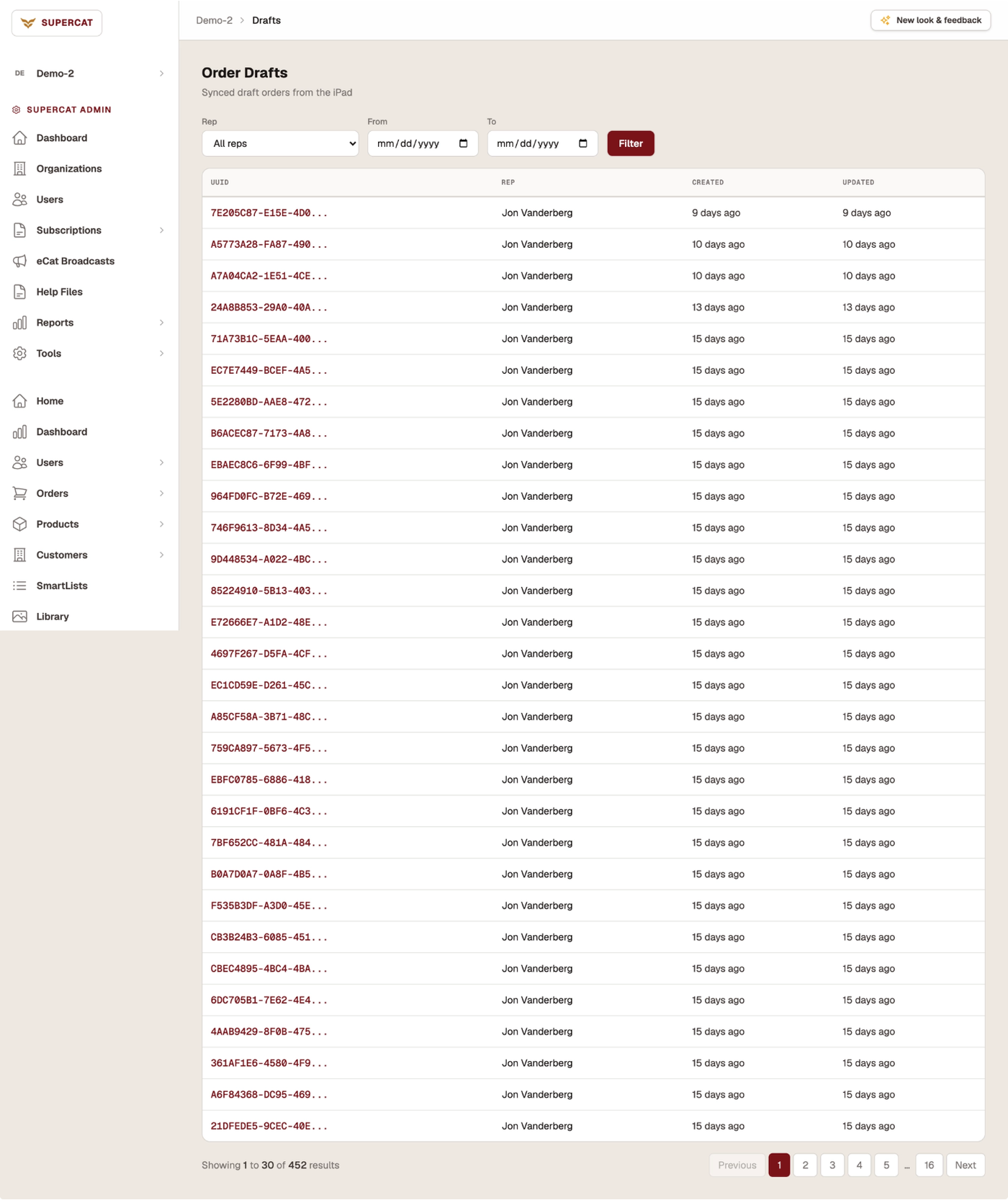
💡 Note: Shared orders aren't new — the clearer admin visibility into drafts is. The Drafts view appears when Rep Activity is enabled, and it fills in only if your organization uses shared orders. Need either turned on? Contact SuperCat Support.
💬 We'd Love Your Feedback
Want Rep Activity turned on for your organization? Have thoughts on the updated Admin Console? Contact Support anytime at support@supercatsolutions.com, or use New look & feedback in the updated Admin Console.
With gratitude,
The SuperCat Solutions Family.