- ArticleDescription
- eCat OnlineView products; check availability & pricing; create, save, & share product lists
- eCat MarketplaceEnable your customers to purchase products B2B 24/7
- eCat Sales PortalAnalyze company/territory sales, enable customers to check order status & track shipments
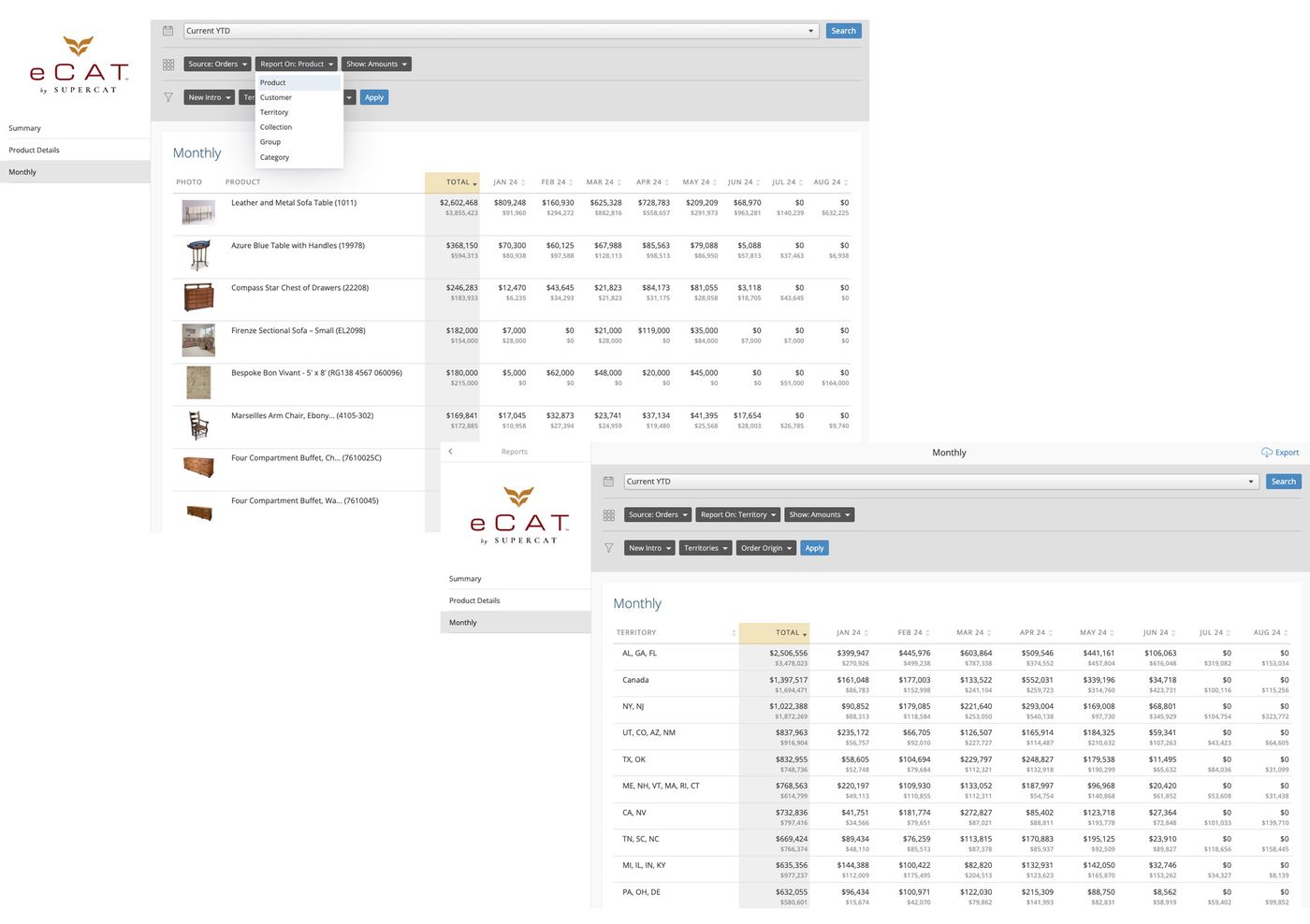
- Reports (beta)Report on orders/invoices by product, territory, collection, group, or category
Summary
Publish eCat product and sales information in easy to use mobile friendly websites to empower your customers, sales teams and management with easy access to all the information they need. Set up a sales portal your customers, and staff can use eCat Online to browse products, check inventory, email product information, place orders, and view order status and invoice history using any Internet connected computer, phone, or tablet they prefer.
Easily create multiple eCat Online sites for different purposes. Use it as a catalog plug-in for your public marketing website. Publish individually branded sites for different trade names. Tailor product selection, pricing, and other information by user type. Flexibly show sales teams, different customer types, and users in different countries different product mixes, pricing, currencies, etc., all customized to their specific needs.
eCat Online consists of three services that are tightly integrated with each other and with the eCat iPad app.
- Product catalog (base service): available as both a public site and as a secure site requiring login.
- B2B shopping cart (optional): enables customers to order directly from your company
- Sales portal (optional): enables your team & customers to view invoices, track shipments, view pending orders, etc.
The online catalog and B2B shopping cart use existing eCat data and require no additional setup or maintenance work on your part. The sales portal option requires two additional data files, one each for your company's order and invoice history.
eCat Online Catalog
The online catalog enables dealers and consumers to browse and search your product offerings, view detailed product and inventory information, and share that information with their clients. The site content is easily customizable by user type using the eCat admin portal.
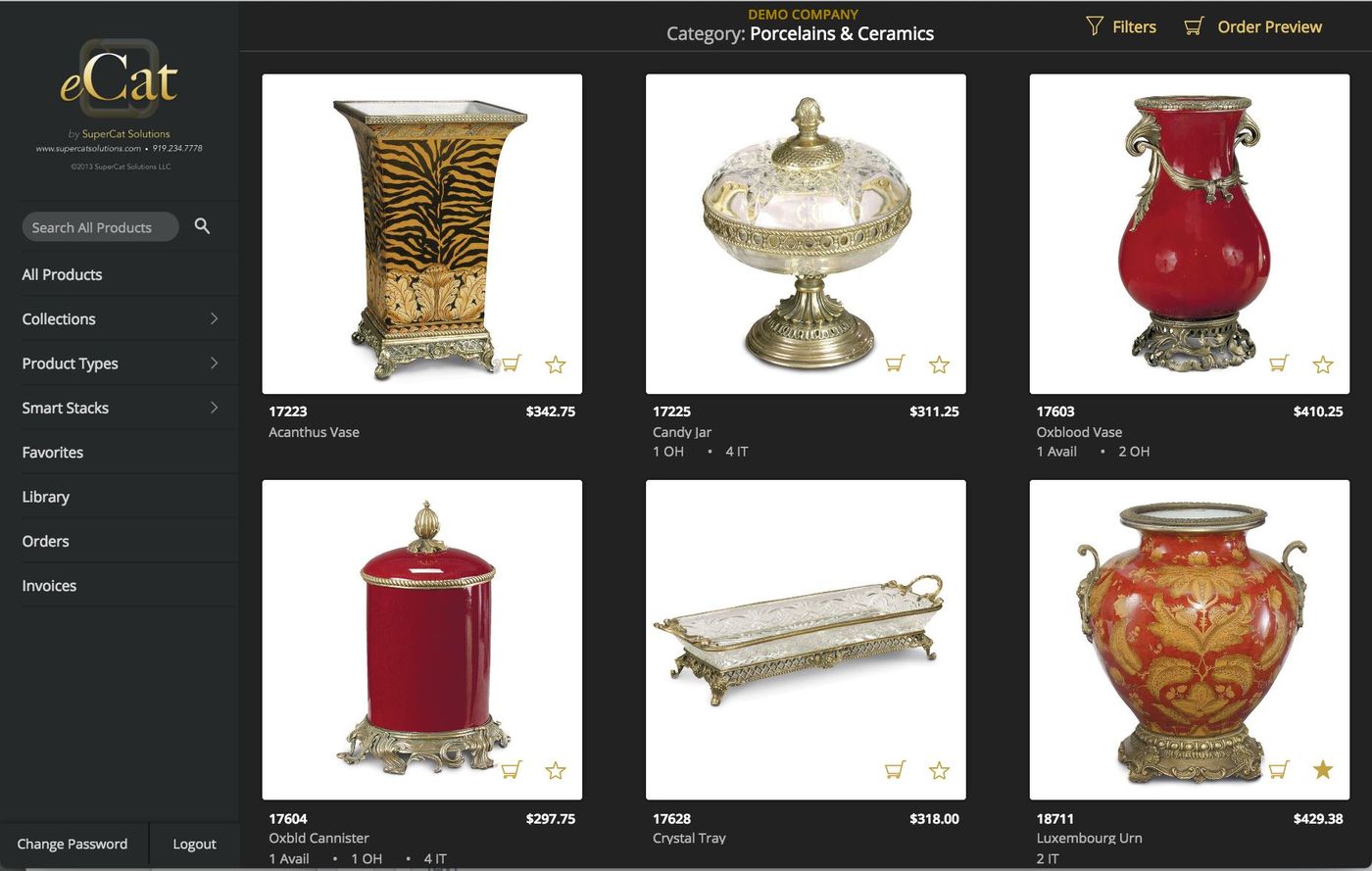
Catalog - 'Quick' View
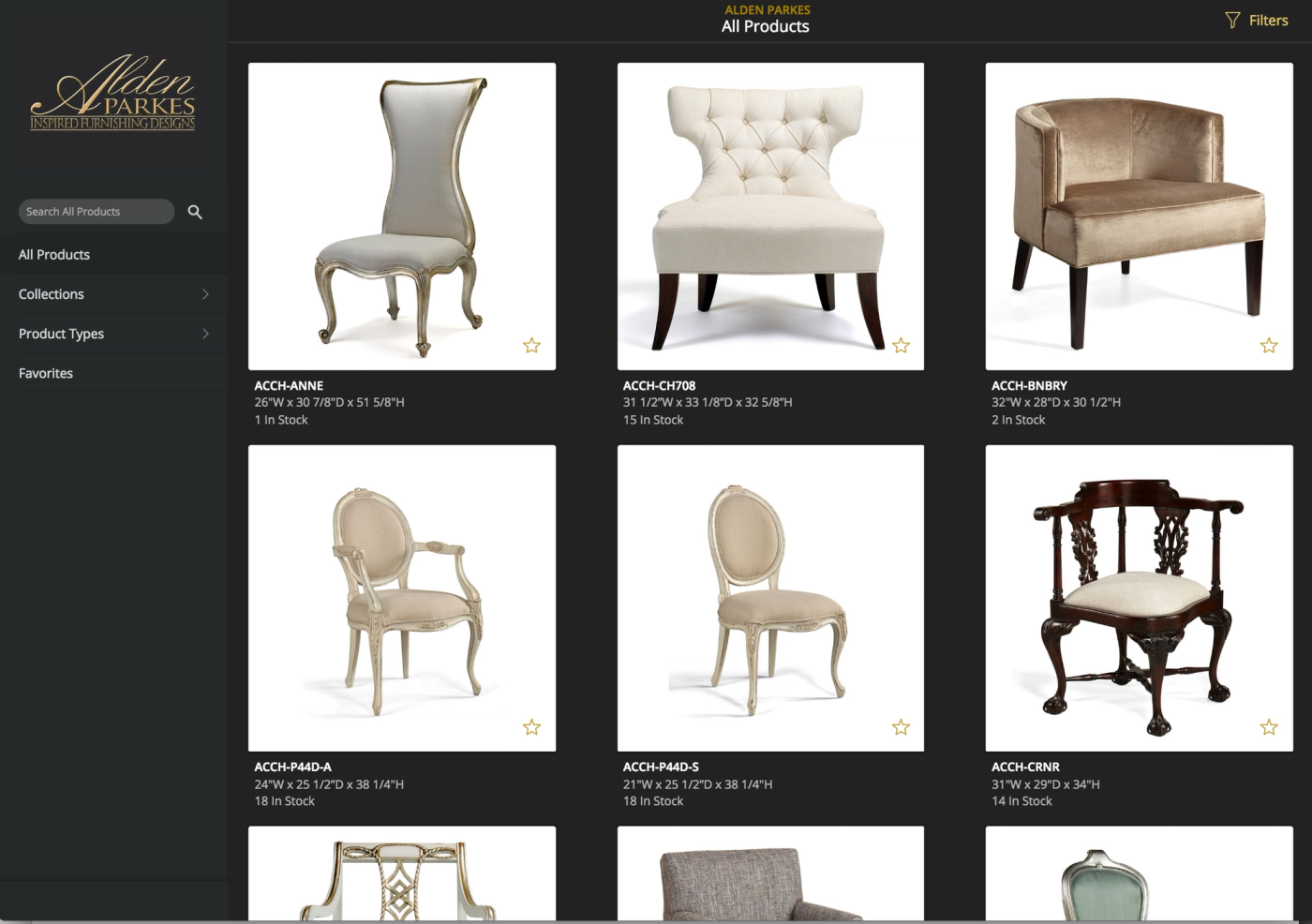
With the basic catalog service you can...
- Expand your audience by giving customers easy access to your product information and inventory availability anywhere, any time, on their preferred device
- Save money on service fees by providing eCat Online to an unlimited number of users at a flat monthly rate.
- Publish your way using powerful customization features to configure multiple eCat Online sites.
- Protect sensitive information using eCat's powerful admin portal user group and user access features
- Publish links to SmartStacks and other eCat Online information in email blasts and on your web site.
eCat Online 'basic catalog' users can:
- Access your catalog on any web connected device
- Search and Filter to find the products they need
- Browse by collection or product type
- View up to six high res product images per product
- Reference any product details you choose to publish to the site and authorize the user to view
- Check product availability with current inventory levels
- Find related products or products in the same family/collection
- Make a list of 'favorites' and email them with photos and product info to a client
- Save named 'projects' with lists of items selected for specific clients (requires login)
- View and share marketing resources published in the Library.
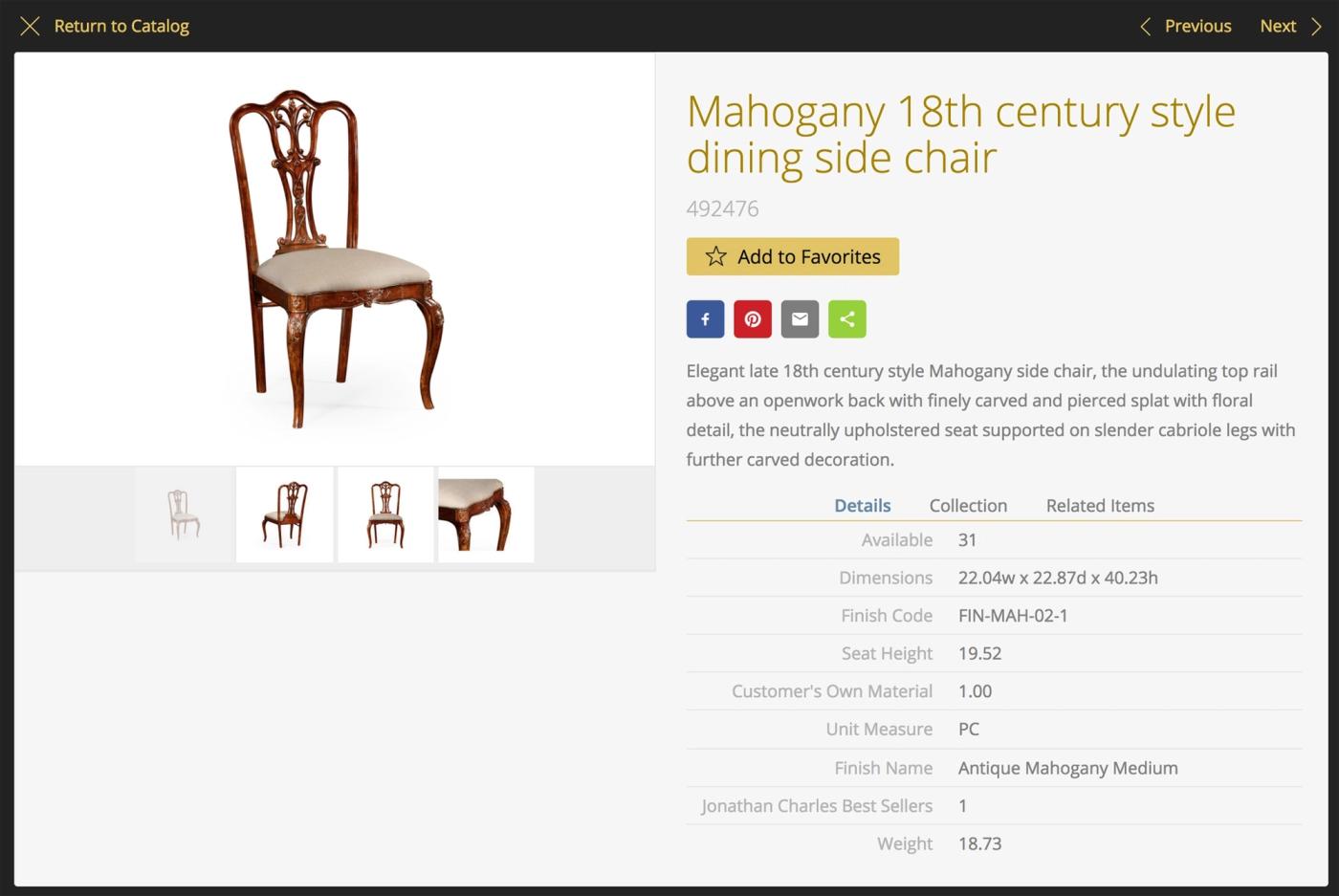
Catalog - Item Details View
Publish up to six photos per product and as much detailed product information as desired. Customize by user type to show each user only the information they need to see.
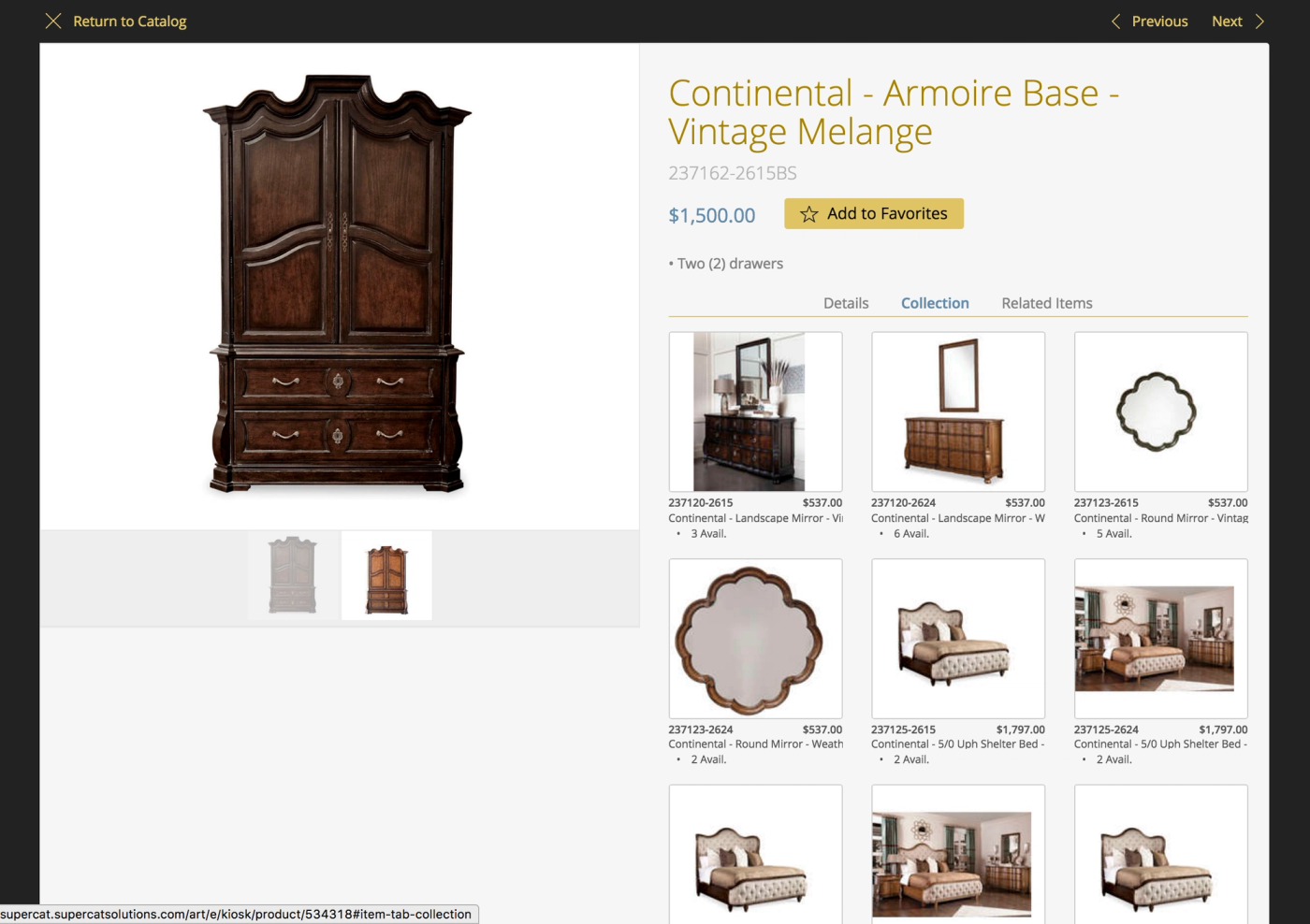
Catalog - Collection View
Show items in the same collection/family at the touch of a button. Customize the information displayed under thumbnails to show inventory balances, dimensions, or whatever you prefer by logged in user type.
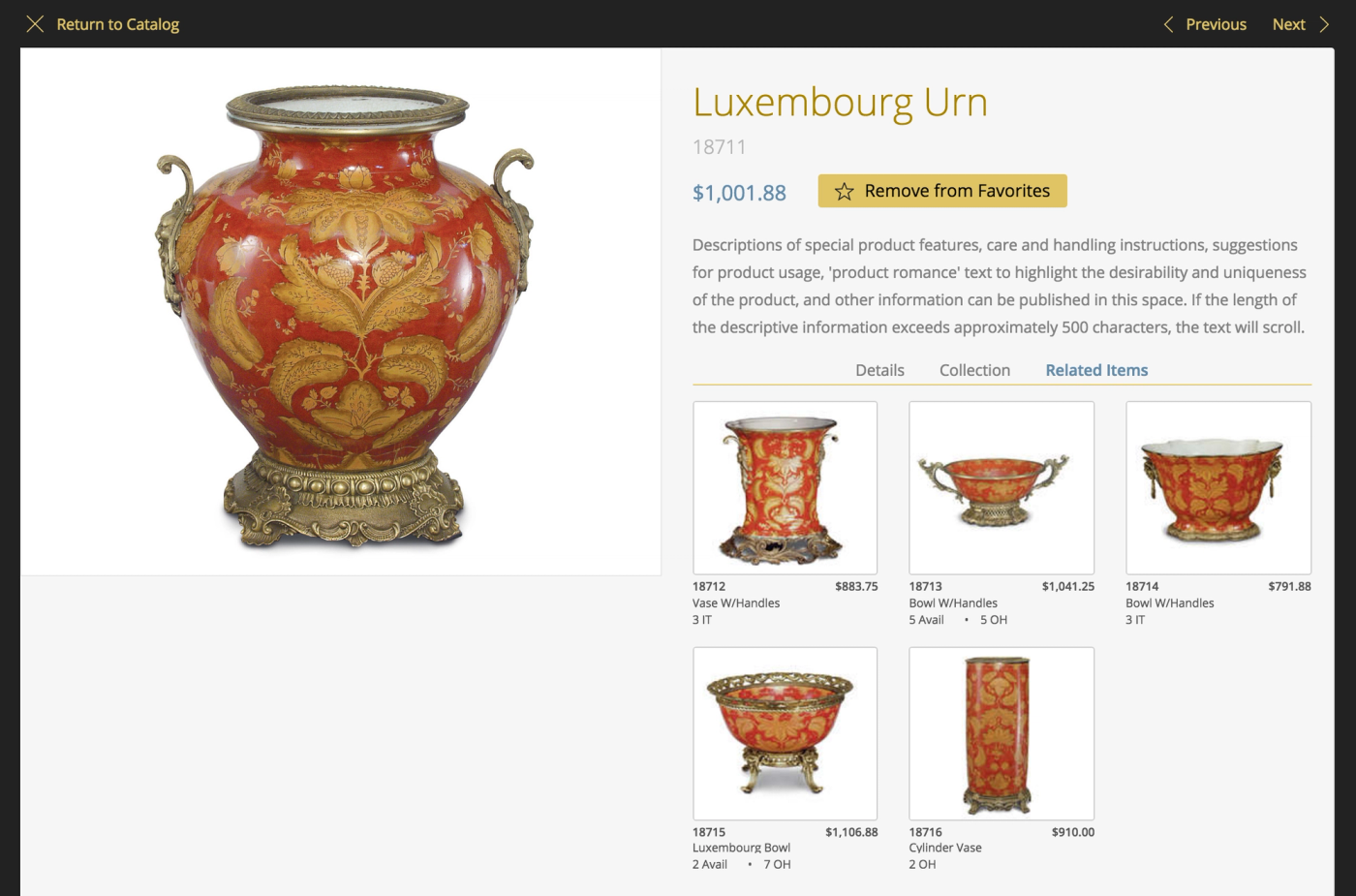
Catalog - Related Items View
Easily show related items with selected details. These can include products like matching items, size variants of an item, or accessories for the item being viewed.
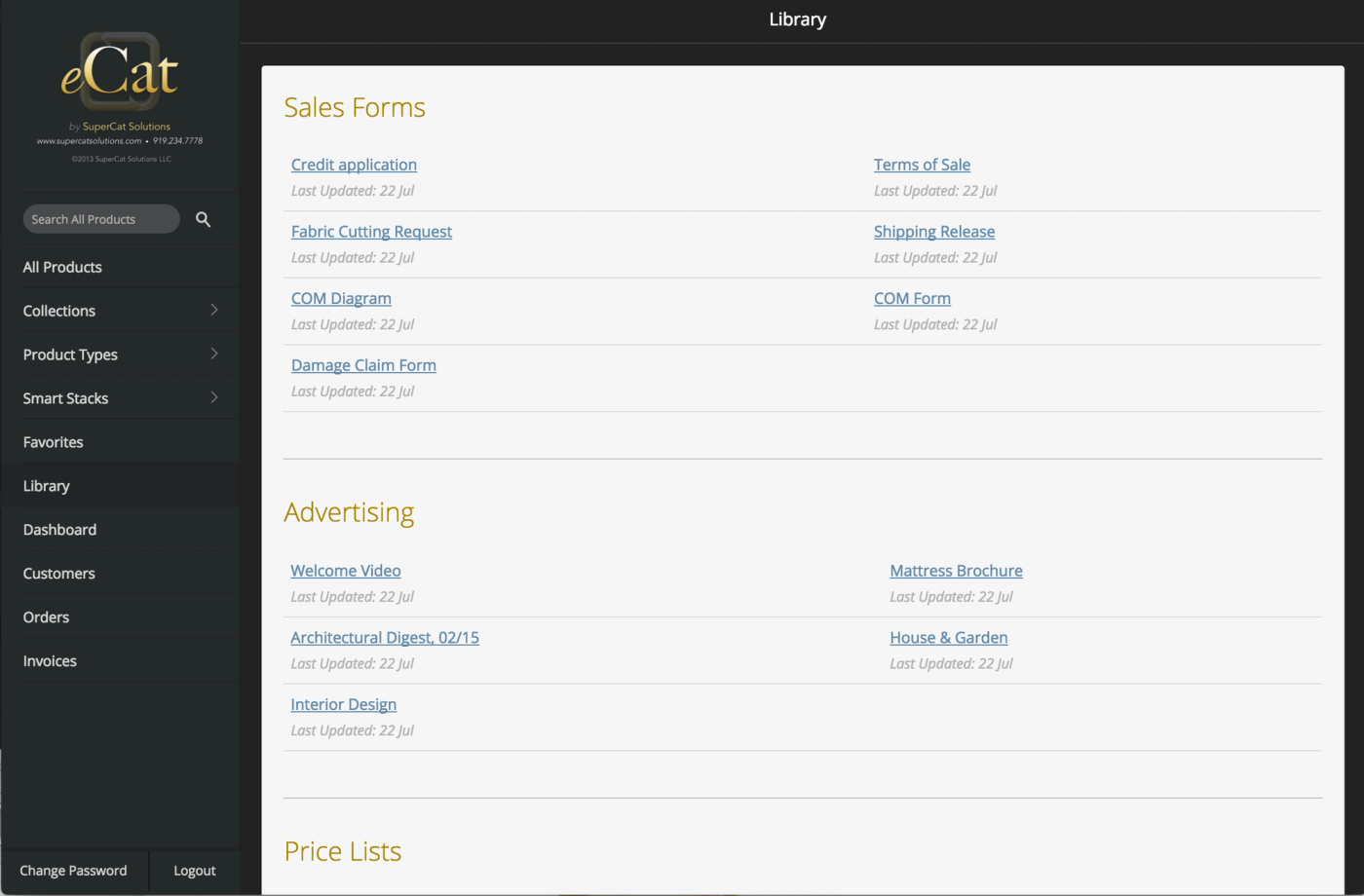
Catalog - Resource Library View
Selectively publish sales collateral, forms, videos etc. from your eCat Resource Library to eCat Online based on user type. Click to view, download, or print.
eCat Online B2B Shopping Cart add-on
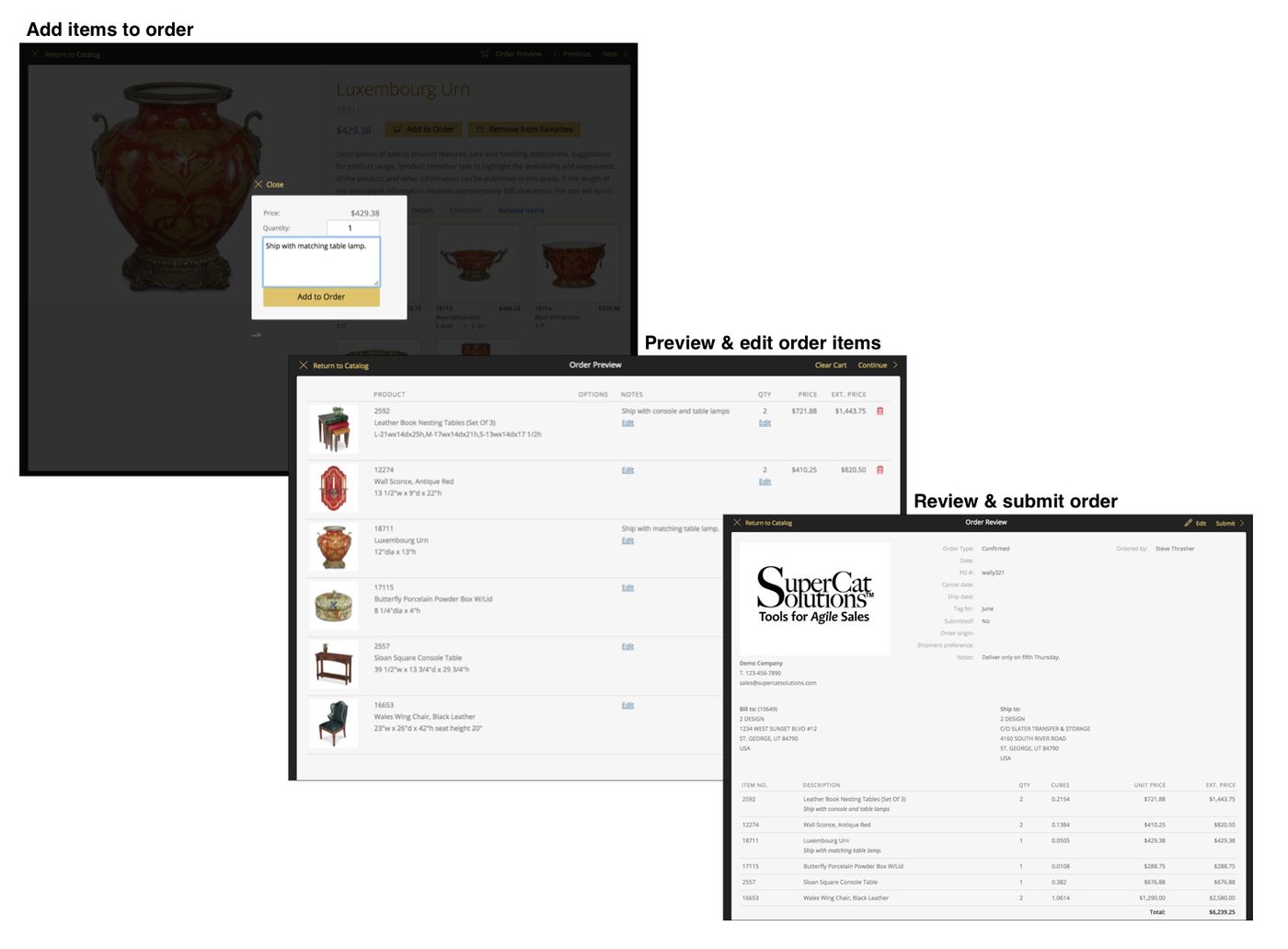
An optional B2B cart can be added to the catalog. Orders are sent to your eCat admin site and can be automatically forwarded to your back office system in the same way as eCat orders. The public site is still available when the cart is added, but your customers must sign in to view their specific wholesale pricing and to place orders. An automated user registration/approval process is used with this add-on. eCat Online users who have been authorized to use catalogs for more than one manufacturer can easily switch catalogs. This makes it easy for interior designers and stores to work with all the lines they carry.
Use the add-on B2B shopping cart to:
- Make it easy for customers to shop, check inventory and order from you on their own schedule
- Enable customers to share product information with their customers
- Enable customers to easily order sets of products (kits)
- Enable customers to price and order configurable products
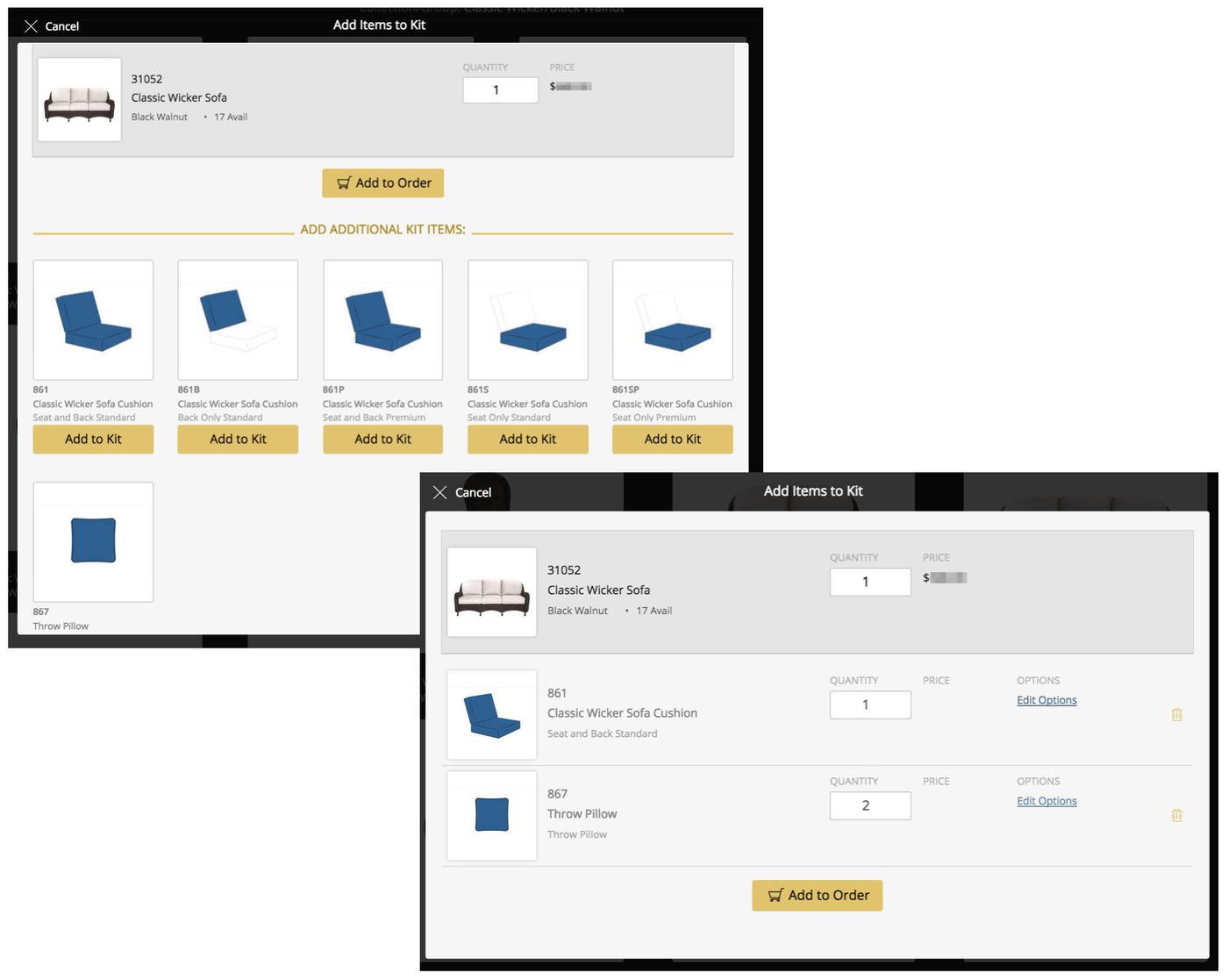
Configure Kits
Kits make it easy to order items that go together, for example furniture frames and cushions, items with accessories like remote controls, or sets of items grouped for package sale.
Kit components may be either optional or required. After selection, kit components may be configured with options. If configuration is required, the kit item cannot be ordered until options are selected.
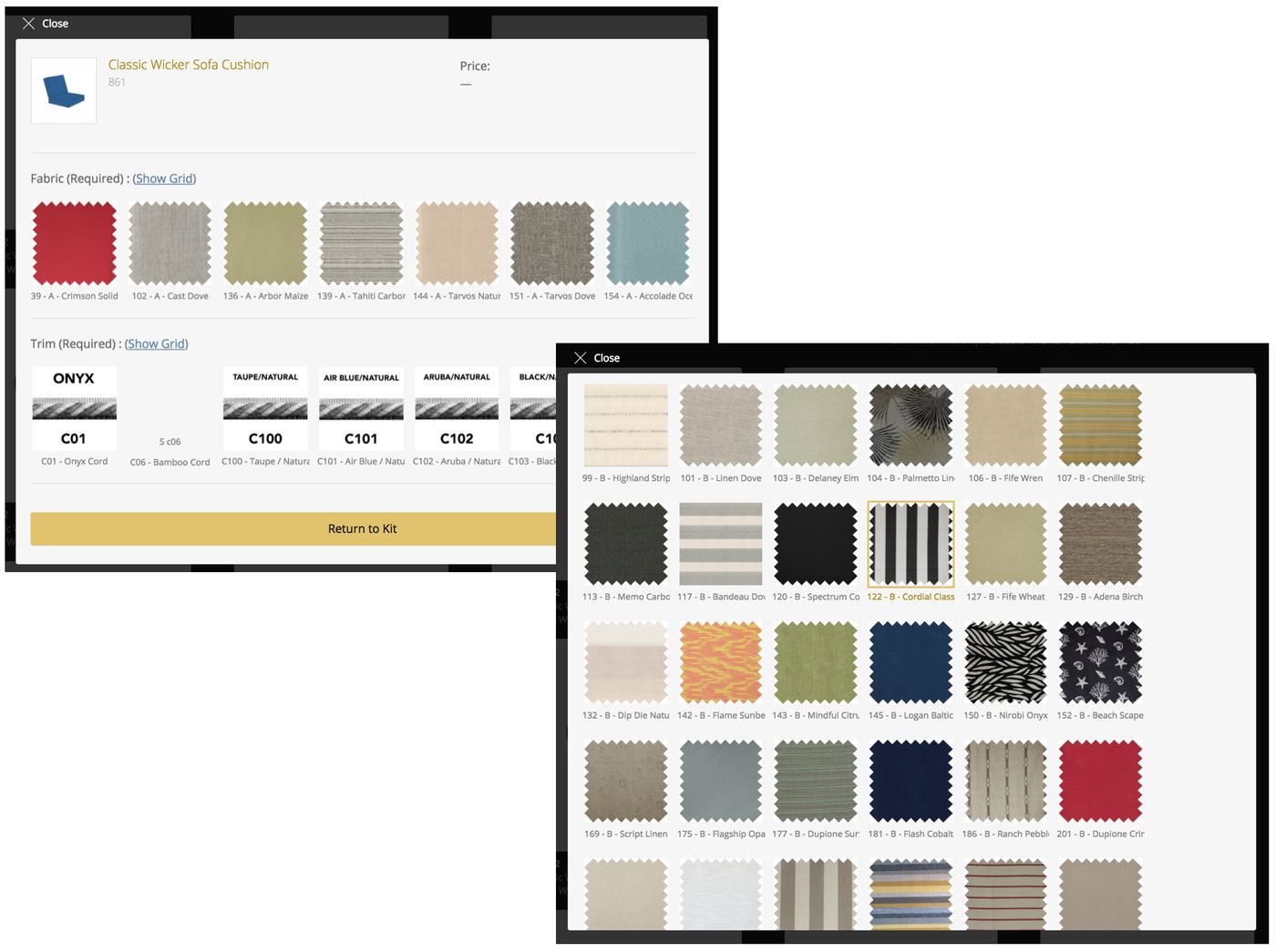
Configure products with options
eCat Online supports selling customizable products with user-selected options. Only options that apply to a given item are shown for selection. Options may be optional or required. Items cannot be added to orders until all required options are selected. This makes it easy to order products without configuration errors.
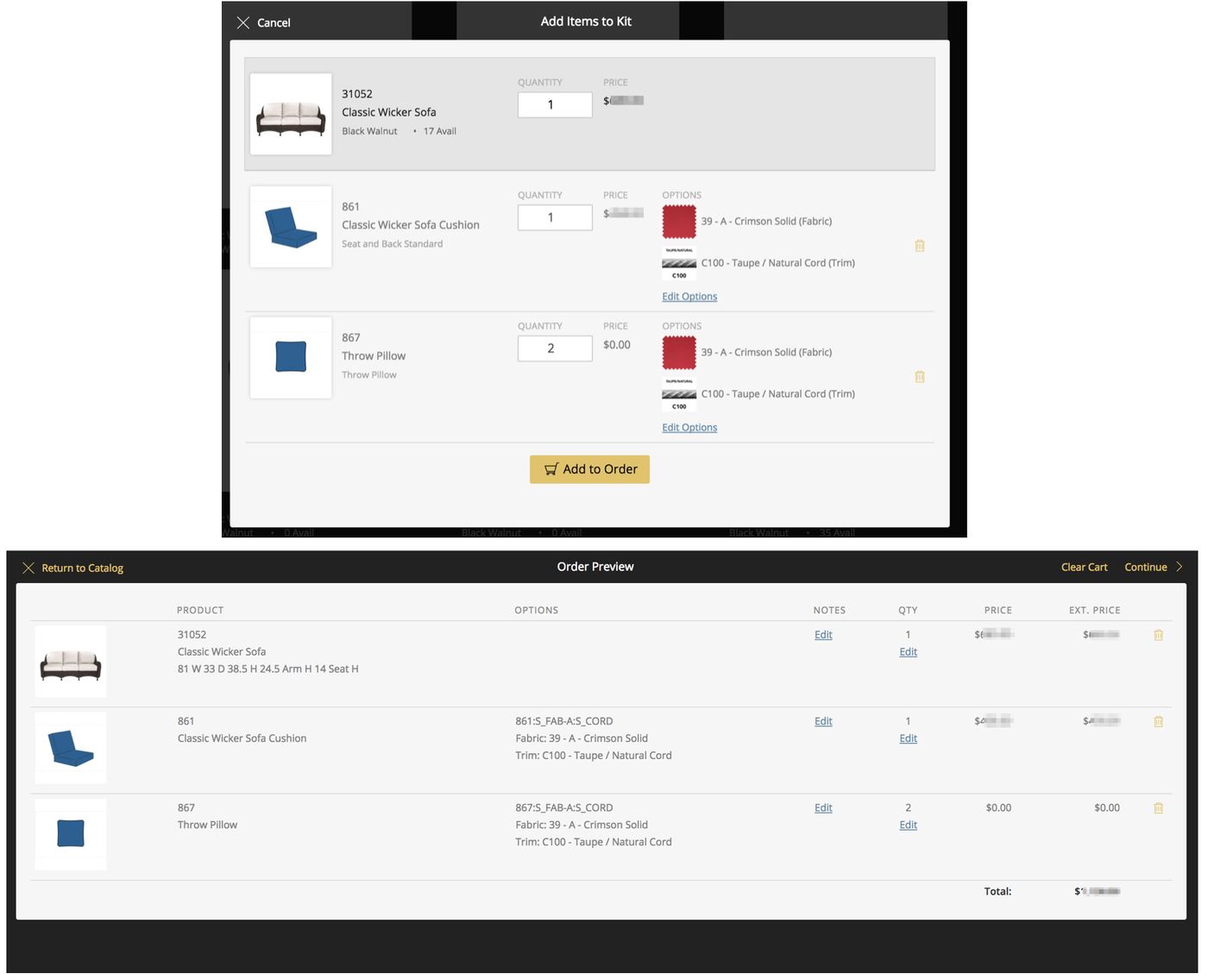
Automatically price item with selected options & add to order
eCat Online automatically calculates the price of an item based on which options a customer selects. This promotes easy shopping and error free product configuration and pricing.
Option matrix pricing enables pricing products with options of the same type that vary in price, for example graded fabrics, standard/premium finishes, or good/better/best features. Customer contract pricing and standard discounts are also supported along with international currencies.
eCat Online Sales Portal add-on
The sales portal option gives your customers 24/7 self-serve access to their order status and invoice history. Reps and company management can view sales information for all the customers they manage. A dashboard provides summary sales information by territory, product, collection, tradename, and customer. The portal integrates nicely with eCat to give sales teams territory and customer performance metrics and detailed order and invoice information right on their iPads.
Use the add-on portal feature to:
- Reduce customer service calls by 40-50% by enabling customers to access their own order status and invoice history, track shipments and more
- Empower your sales team with insight into customer history, preferences, status, and more
- Give managers company-level insight into high level trends, customer & product rankings, and interactive reporting features
* The sales portal requires additional invoice and order data files exported from your back office system to show global company sales information.
Sales Portal Functionality Overview
Sales portal users can
Search...
- for orders by order #, PO #, customer name, customer #, or item #
- for invoices by invoice #, order #, PO #, customer name, customer #, or item #
- for customers by customer number, name, city, state
- the customer, order, and invoice lists by item # to see which customers have purchased an item within a specific time frame
View...
- any product information your company chooses to publish and show specific users, with up to 5 photos per product
- any customer information your company chooses to publish and show specific users
- current and future product availability in multiple warehouse locations
- sales order details with current status, product availability, and estimated ship dates by order line
- invoices with shipment details and delivery tracking information
- items a customer has purchased within specific time frames, with photos, in ranked order
Email, Print...
- customizable product tear sheets
- any documents linked to products in URL custom fields, e.g. assembly instructions, MSDF sheets, etc.
- links to Library documents, videos, showroom tours, etc.
- orders with shipment status, estimated ship dates
- invoices with full details and tracking information
Report, Export...
- sales by customer for specific time frames with current/prior period comparisons
- sales by item, brand, collection , type - by month, showing units or monetary amount
- orders by status (Open, closed), showing original amount, amount invoiced, backlog amount, etc.
Submit an RMA/RGA item credit or return request (optional add-on feature)
- link to specific invoice line(s) for easy authorization, tracking, non-duplication
- customize with your company's standard return/credit reasons
- require provision of specific information, etc. based on selected return/credit reason
- capture damage & other photos with mobile devices to document return
- API provided for automated RMA/RGA download into your returns management/tracking system
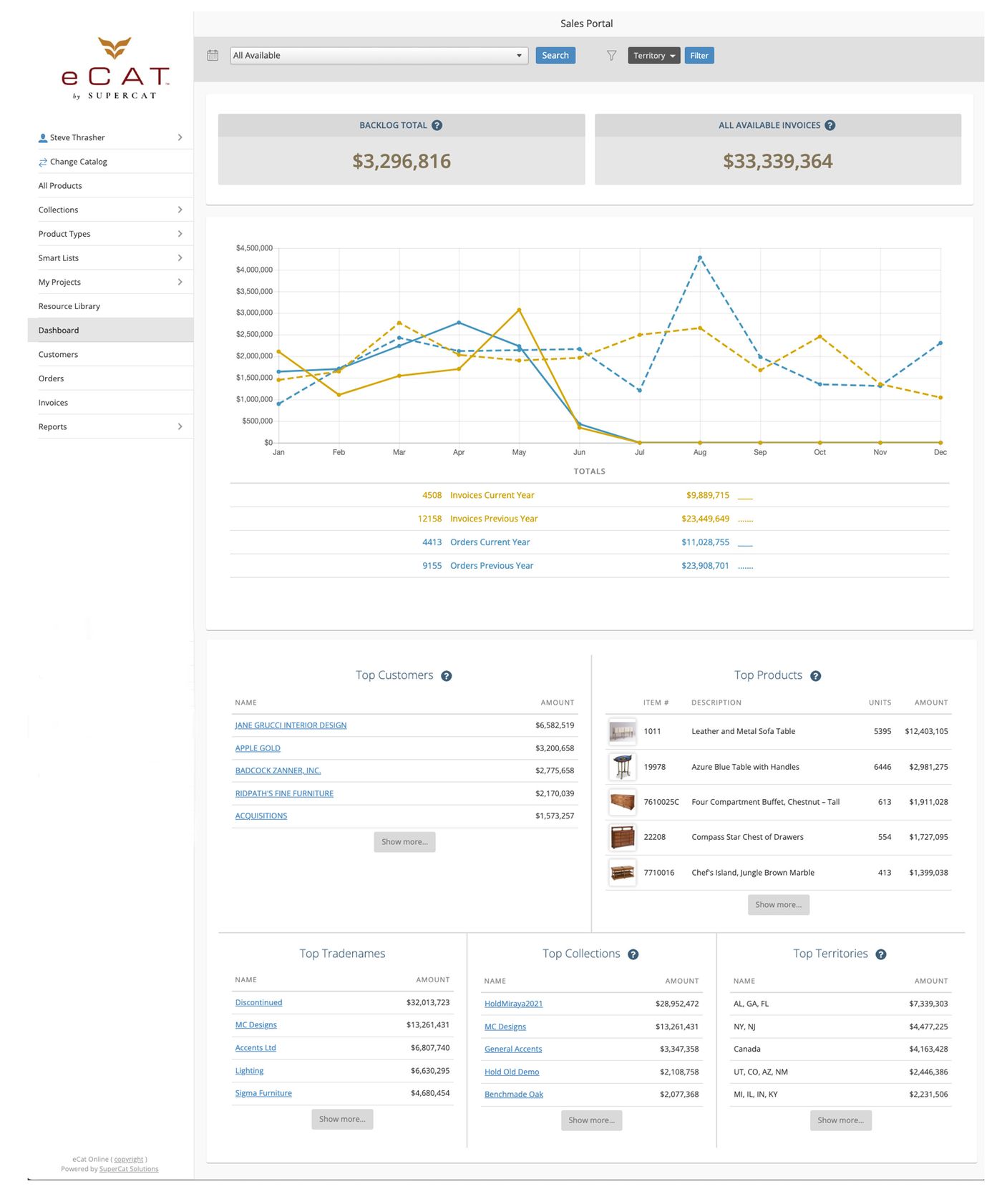
Sales Portal - Territory Dashboard
The territory dashboard shows a quick overview of sales for the entire company or for one or more sales territories. Each user sees sales for only their associated customer list.
Compare previous and current year invoices and orders by month. Select date ranges to view sales trends for top customers, products, brands, collections, and territories for different periods. Drill down for details.
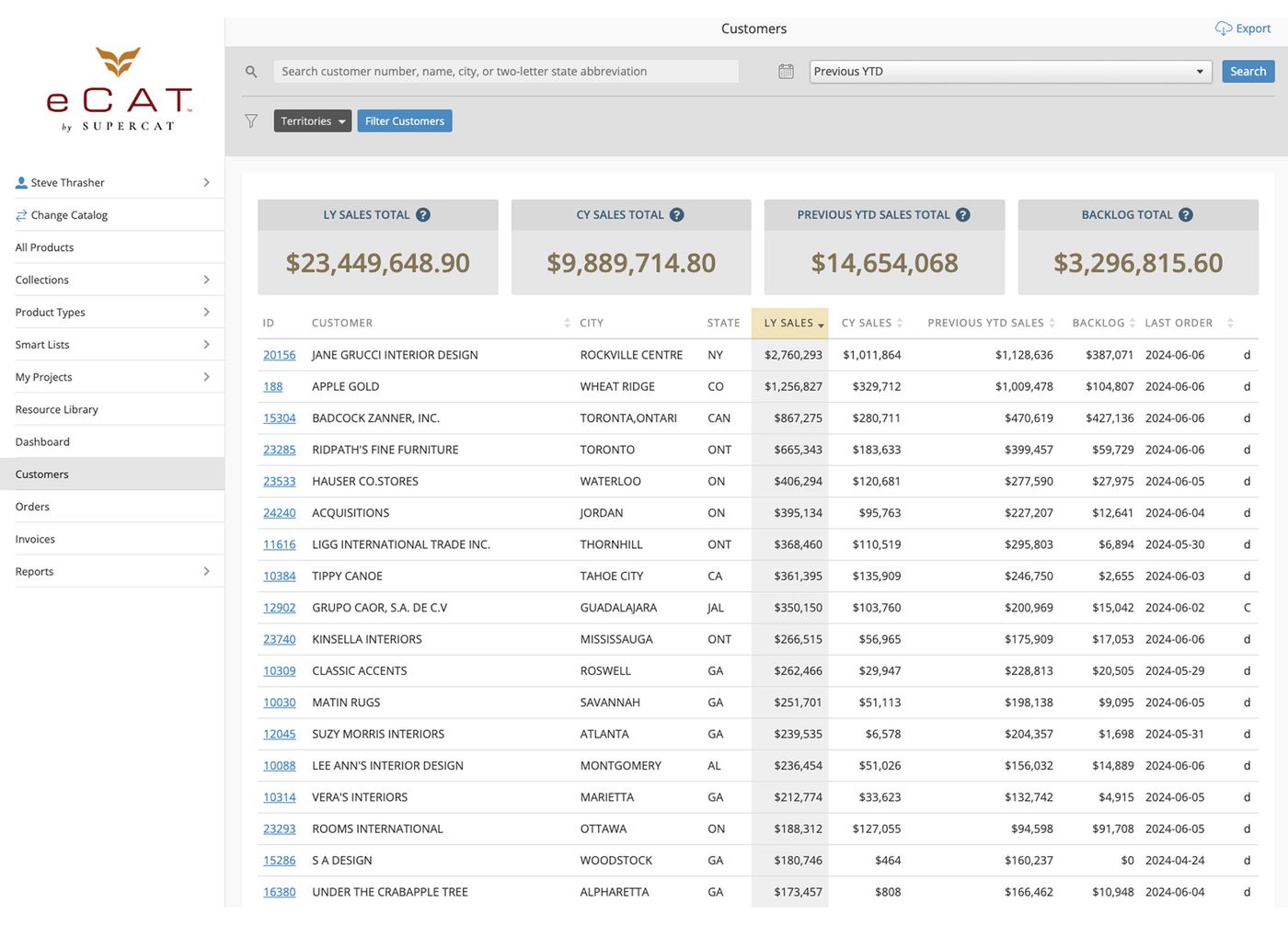
Sales Portal - Customer List
Search for customers by name, number, or two character USA state code. Tap a customer number to see the customer's dashboard. View customers' summary sales history, pending order totals, discount level and most recent order date at a glance. Study customer sales trends using date filters, search, and clickable column headers to sort by prior year sales, current year to date sales, and unshipped order backlog.
For example, click LY sales to sort the best customers to the top, search for 'TX', then compare year-to-date with last year-to-date sales for all Texas customers to see the sales trend for each customer, starting with the top selling customers. Download a CSV file of your report results for further study.
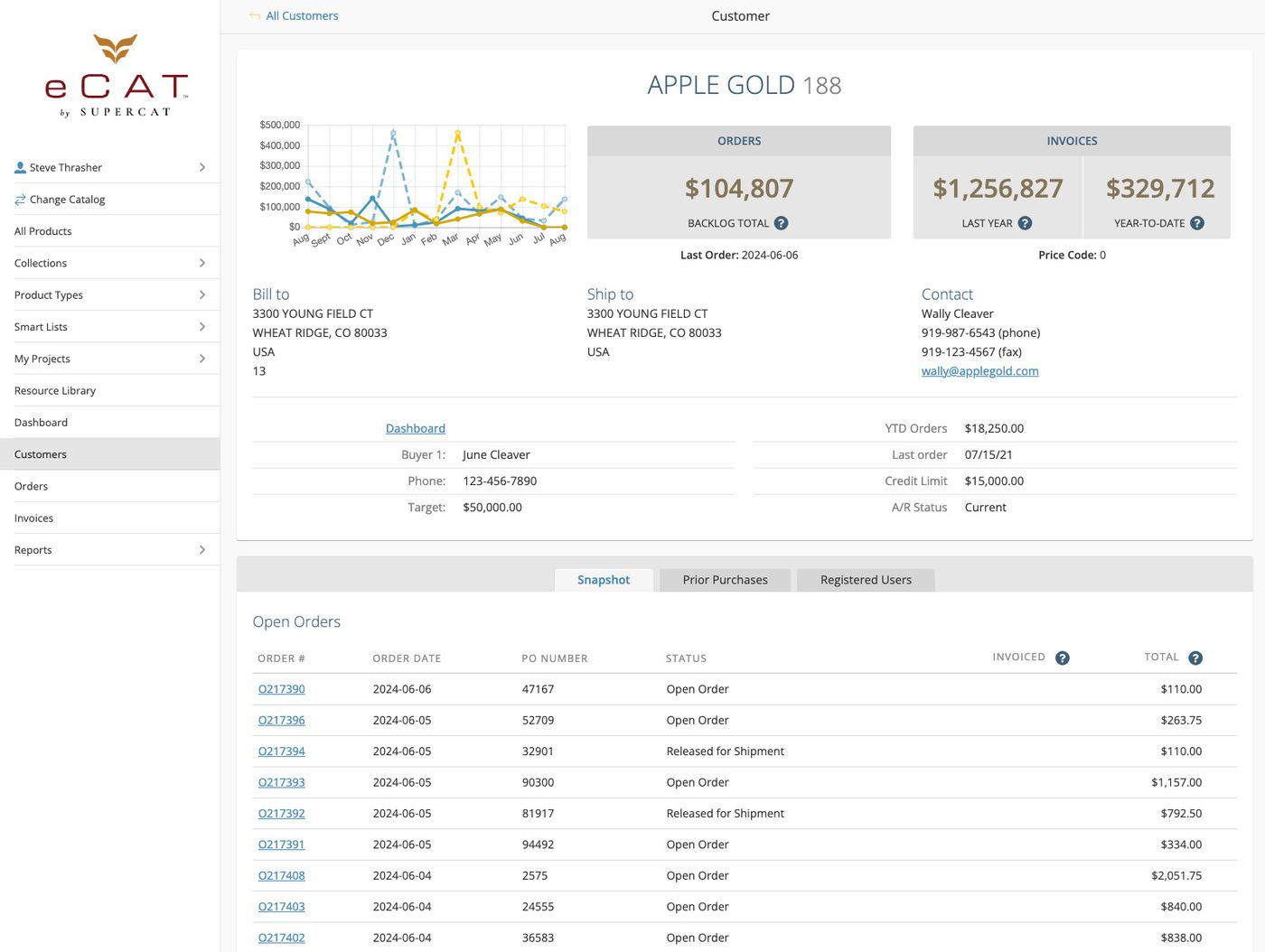
Sales Portal - Customer Dashboard
This is the view customers see when they sign in. Quickly view a customer's contact information, summary sales numbers, orders, and invoice history.
- A 'snapshot' view show current open orders and the most recent invoices
- Tap an order or invoice number to view details.
- Click tracking numbers to view status of parcel shipments.
- View a list of individuals who are authorized to access the dealer's sales portal site
- Quickly authorize users to access a dealer's site, bypassing the standard registration process.
- Publish as many custom customer fields in this view as desired to show A/R status, Spiff status, link to a payment portal, etc.
-
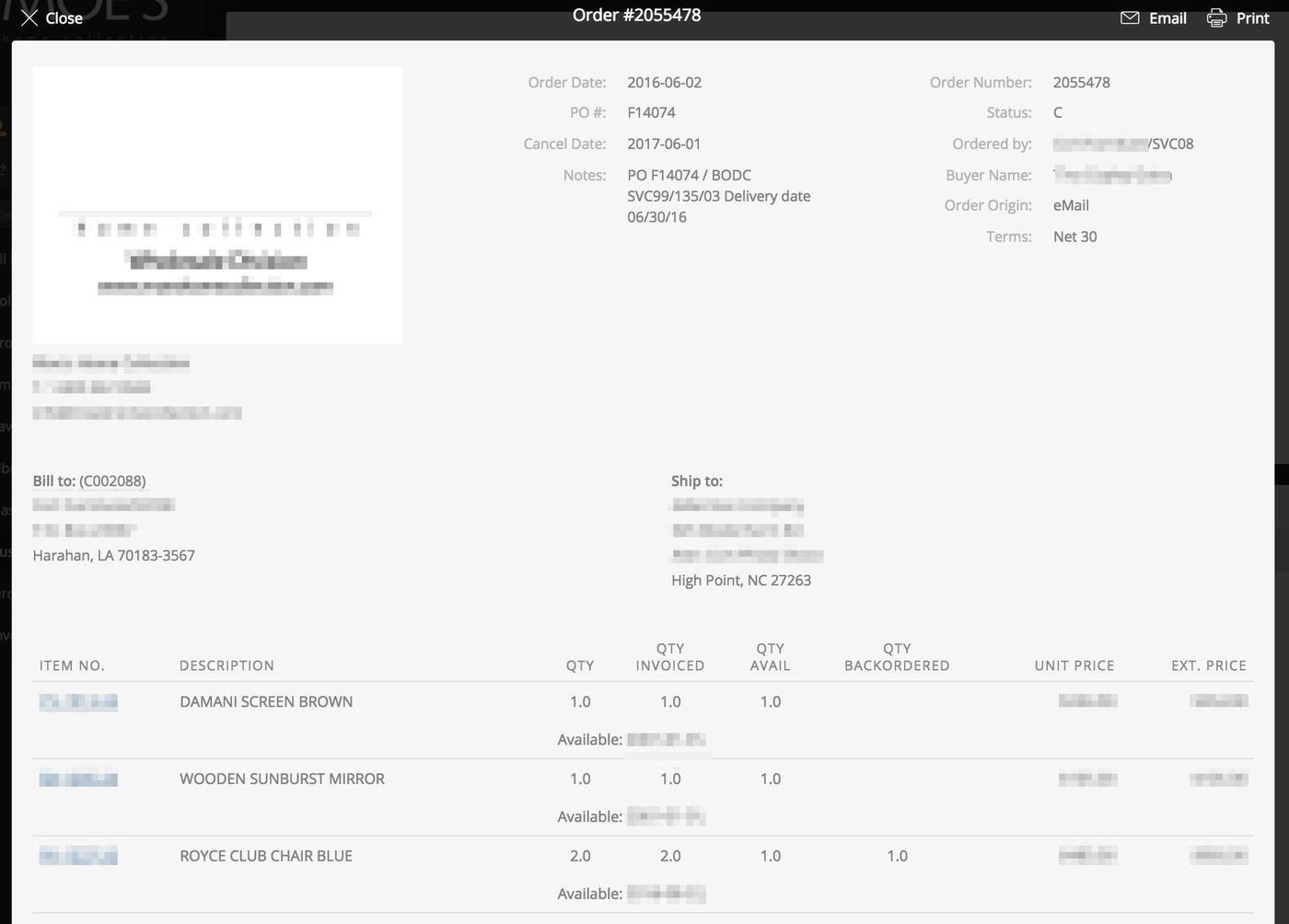
Sales Portal - Order View
View and print orders or email copies as desired. Show with or without product photos. Click item number or photo to view product detail page with full product details, inventory availability etc.
eCat Online Sales Reporting
The (beta) reporting feature enables company management and sales teams to analyze sales multiple ways. Report data can be exported for further analysis in spreadsheets. Users see only data relating to the customers with which they are associated.
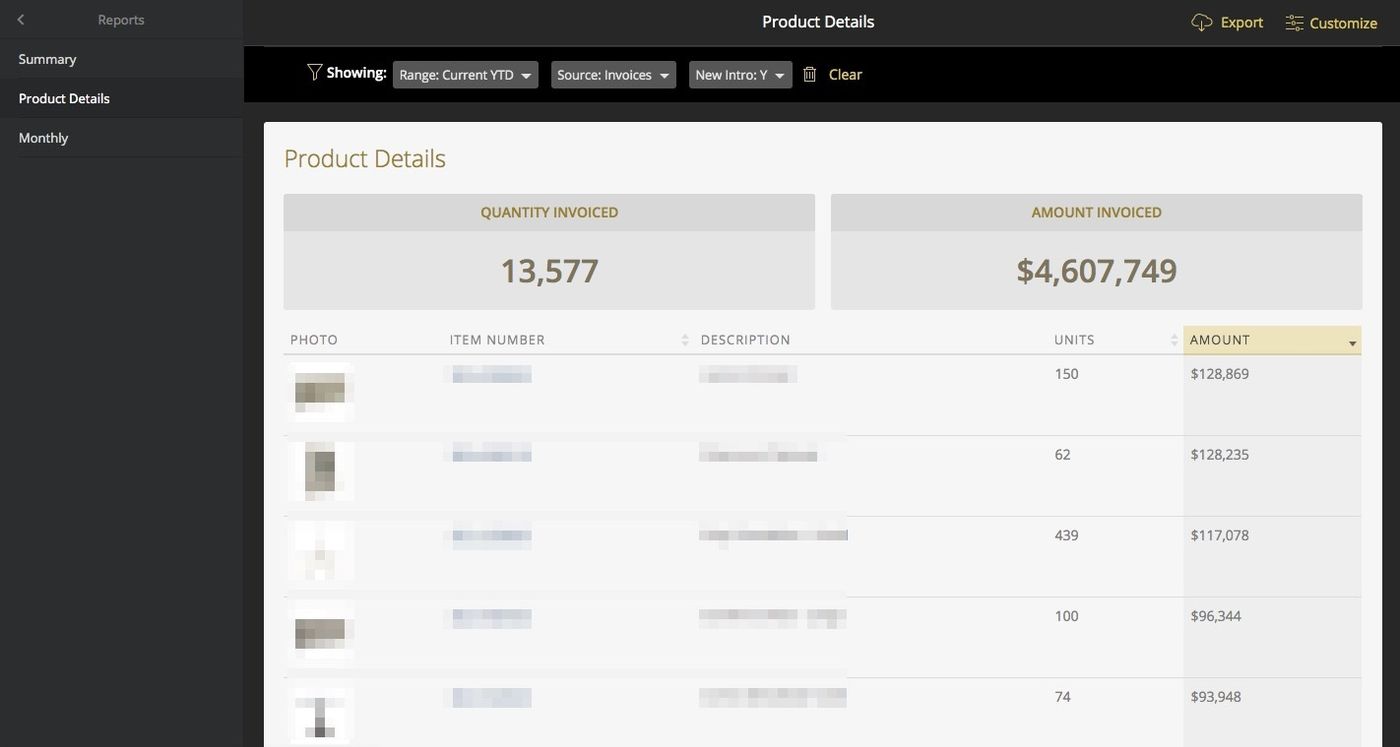
Product Details Report
View product units and dollars invoiced with links to eCat product information. Filter badges enable quick changes to report parameters.
Select from the following report options.
- report date range
- data source: orders or invoices
- hide or show product photos
- all products or new intros only
- optionally filter by one or more order origins eg. 'road', 'market', 'write-in'
Monthly 'Bucket' Reports
View monthly sales by product, sales territory, customer, product collection, product group, or product category. Click column headers to sort the report. Default sort is by total sales in descending order. Filter badges enable quick changes to report parameters.
Select from the following report options.
- report date range
- data source: orders or invoices
- hide or show product photos
- show all products or new intros only
- show sales amounts or unit quantities
- optionally filter by one or more order origins eg. 'road', 'market', 'write-in'
- optionally filter by one or more sales territories
Monthly Report by Product/Customer/Territory/Collection/Group/Category
These reports show orders or invoices by month compared to prior month sales to show trends. Click the item number or photo to view the product detail page with full product details, inventory information, etc.