Admin Overview
Authorized eCat Sales Portal users can bypass the standard enrollment approval process and 'quick-enroll' eCat Online users associated with their own customers. The new users are immediately emailed their user names and passwords.
How It Works
Authorized users can set up new eCat Online user accounts as follows.
- View the sales portal customer dashboard page for the new user's company
- Click 'Enroll Customer' at top left of page
- Enter the new user's email address
- Complete a user information form (if the new user doesn't have an existing eCat account)
- Submit the application
Applications are immediately approved and credentials are emailed to the new user.
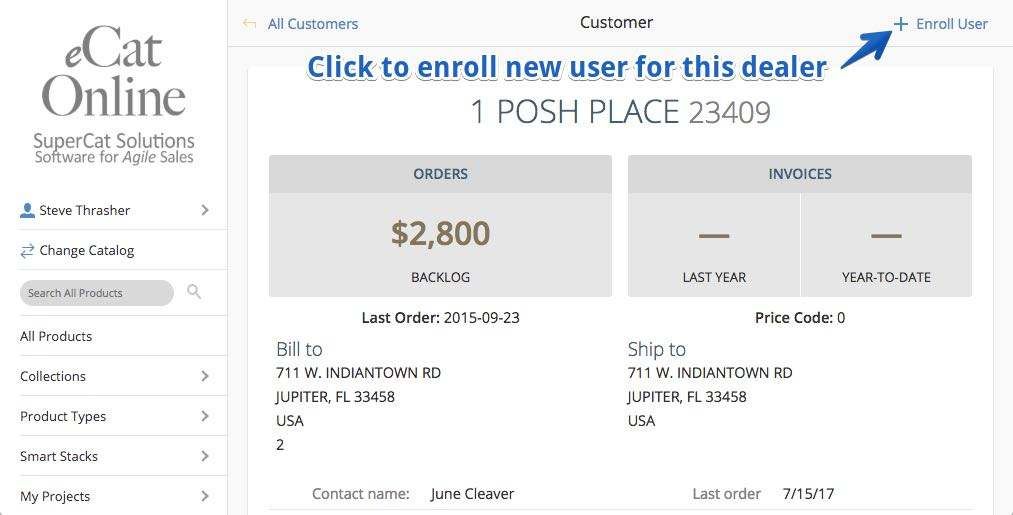
The following happens after a user submits a prospective user's email address for enrollment.
- The system verifies whether your organization already has an existing account associated with the new user's email address. If there is, the existing user ID is emailed to the user as a reminder along with a password reset link.
- The system checks whether or not the user has an existing eCat Online account with another company. If so, they are automatically authorized to use their existing username and password for the new company. In this case there is no need to enter anything other than the new user's email address.
- If there is not an existing eCat account associated with the email address, a form is displayed for the rep to provide the new user's name and contact information. When the enrollment form is submitted, the customer is automatically approved and receives a welcome email with credentials.
IMPORTANT NOTES
- Auto-enrolled users see product prices at the default price level of the customer account with which they are associated. This is usually a wholesale price.
- Auto-enrolled users are automatically assigned to the default user group set up in your eCat Online site settings by SuperCat Solutions. Please email support@supercatsolutions.com to select or change the default user group.
Authorizing User Enrollment
eCat admins can authorize members of selected user groups to enroll users by checking the 'Enable user enrollment?' setting in the user group definition.
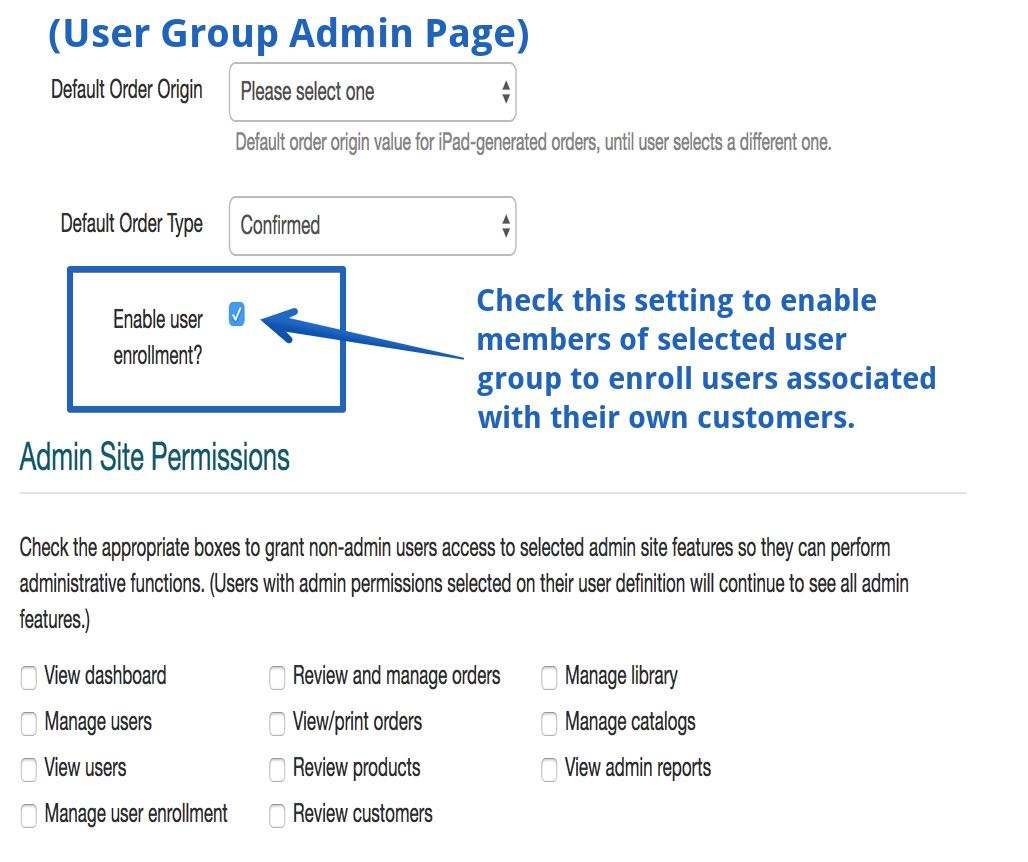
Please note...
- Authorized users can only enroll customers shown in their own customer list.
- Quick-enrollment can only be used to enroll users who are associated with customers that exist in the eCat customer list. Users associated with new customers must go through the normal enrollment process.