Accurate information about your Internet connection may help us troubleshoot eCat sync and data download issues. Please run the following test on your iPad.
1) Connect your iPad to the same Internet connection you used for updating eCat.
2) Open the Safari browser on your iPad.
3) Tap the URL below or enter it manually in the browser address bar.
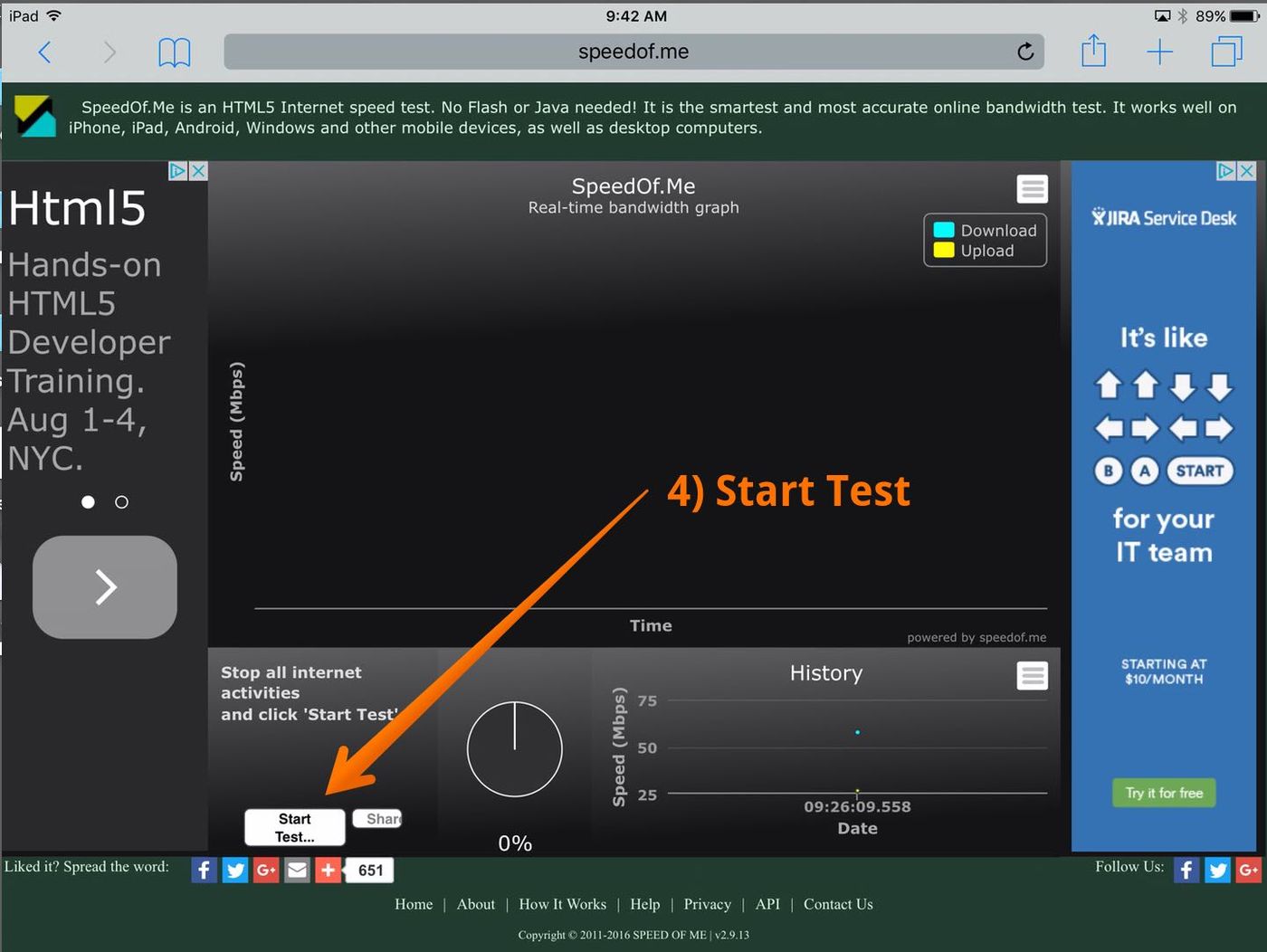
4) Tap the 'Start Test...' button.
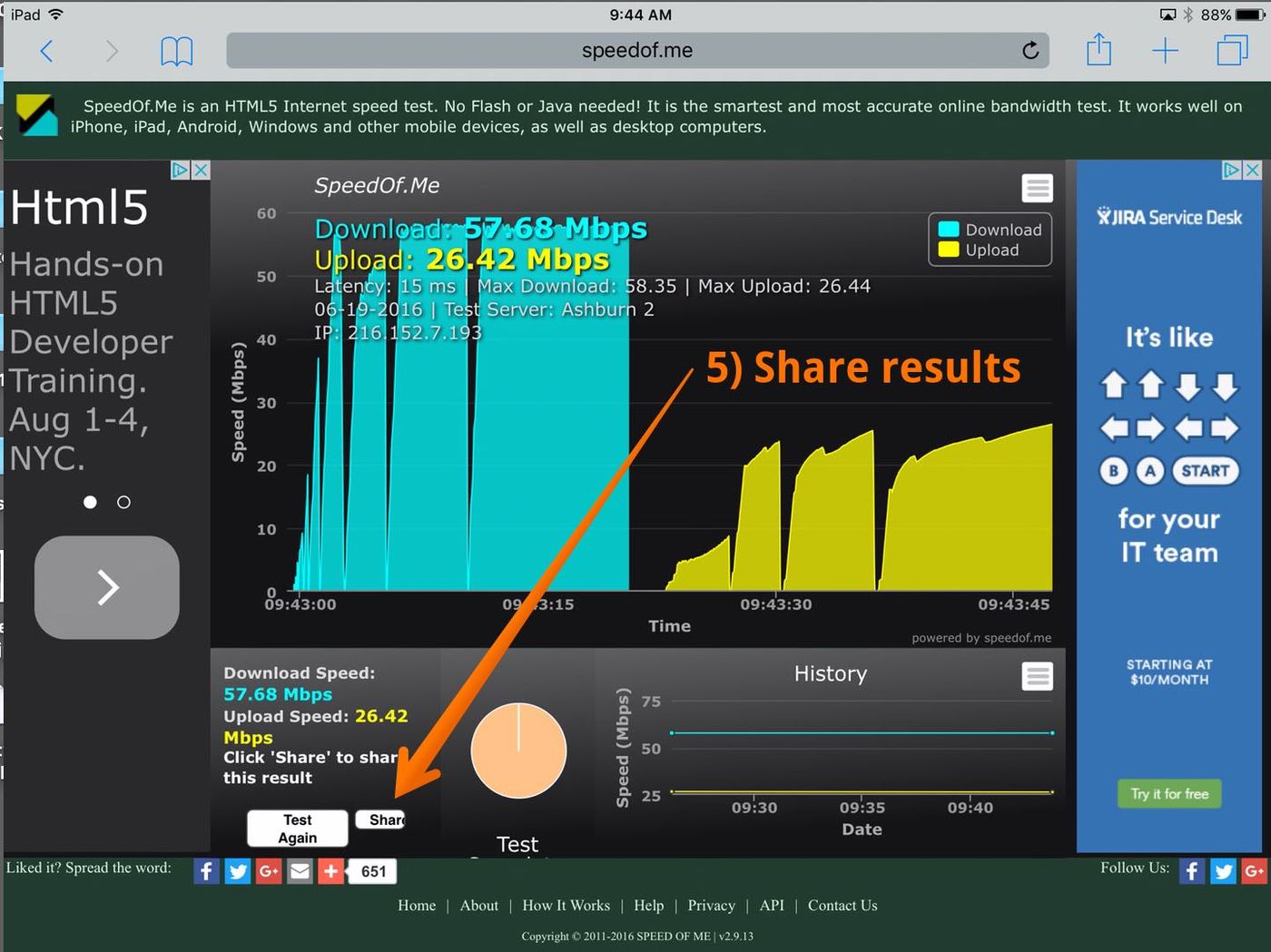
5) After the test completes, tap the 'Share' button.
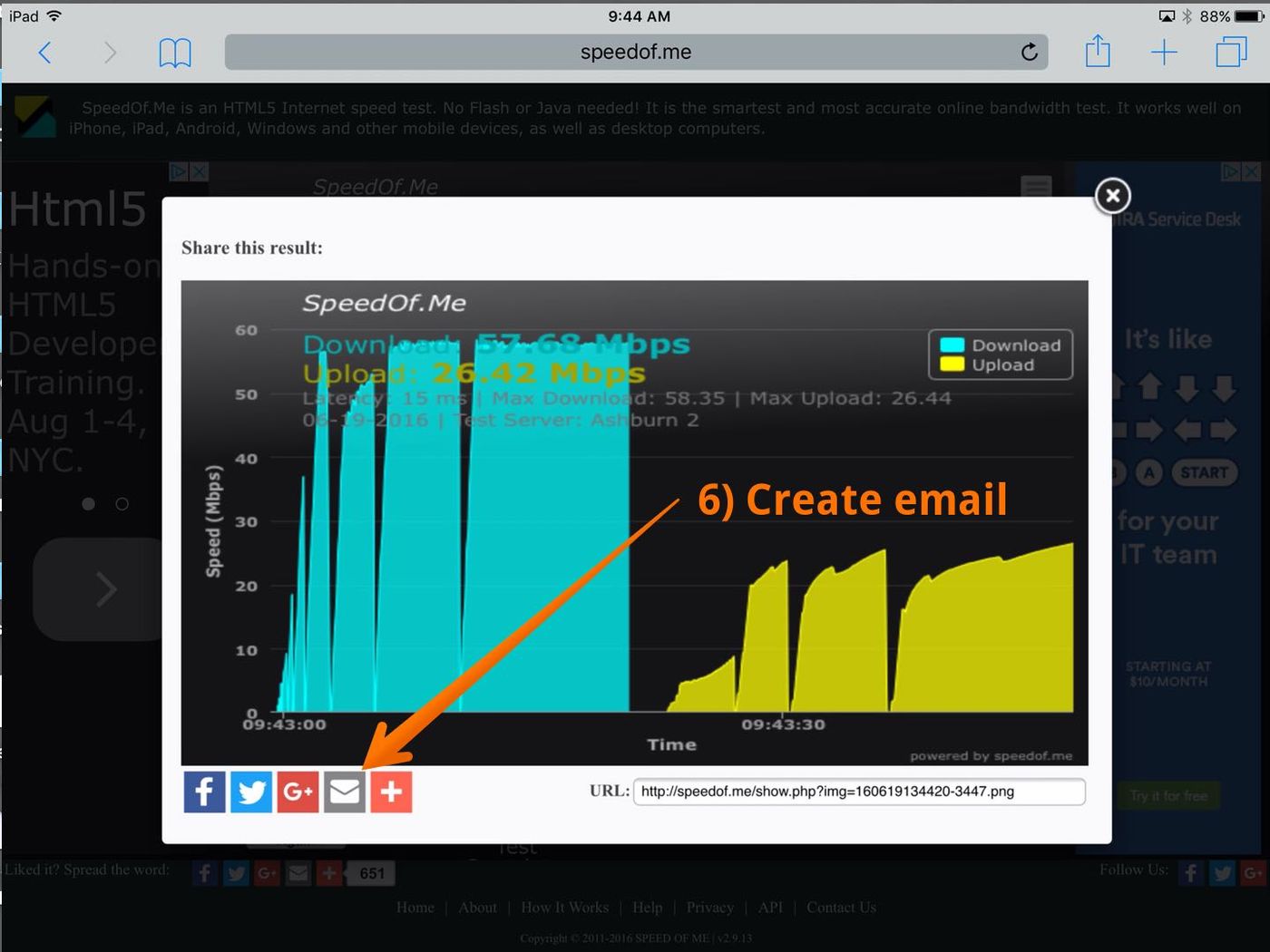
6) Tap the email icon (envelope) in the test result graphic.
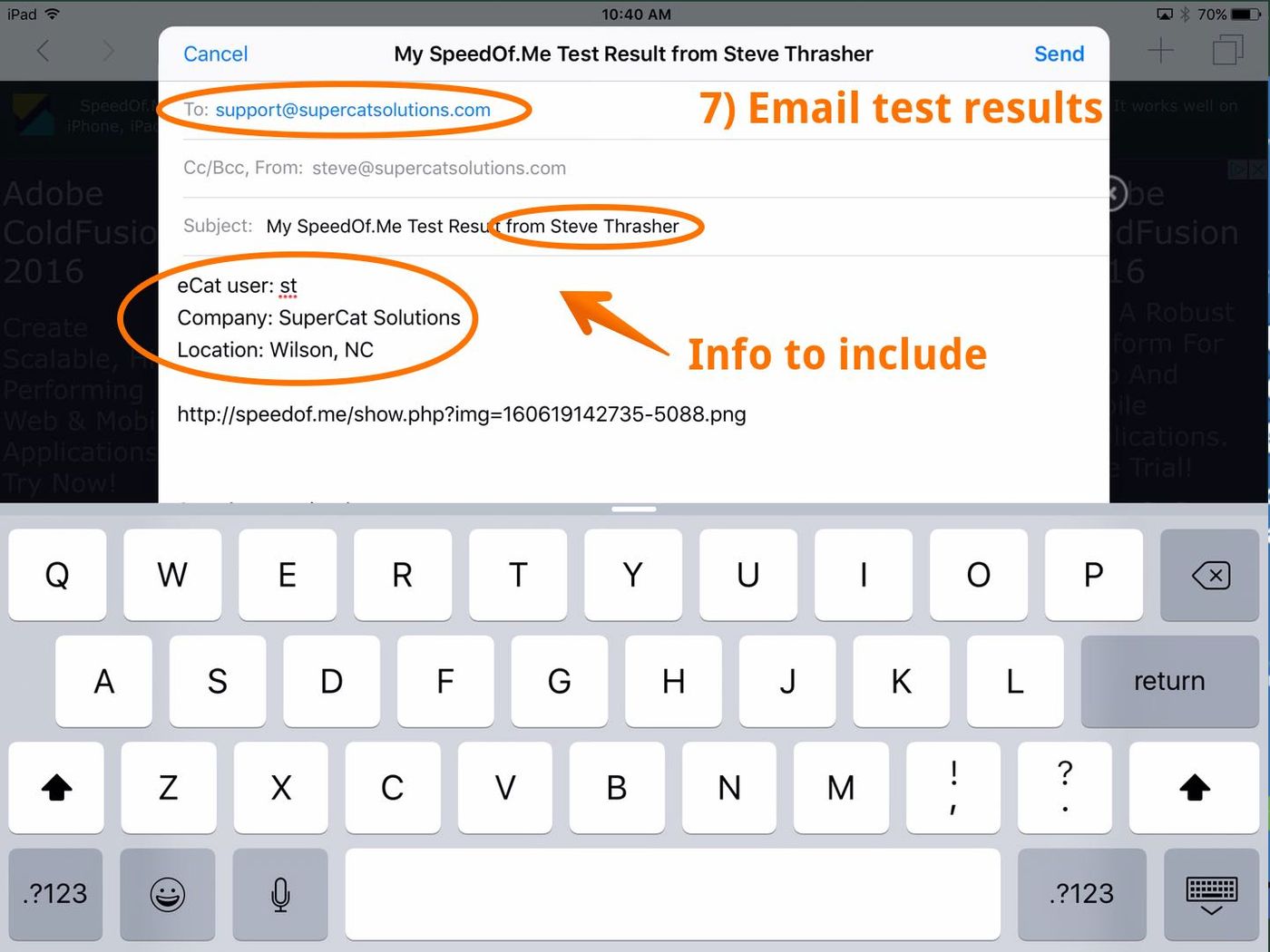
7) Email the test results to 'support@supercatsolutions.com'. Please include the following information: your name, your eCat username, the name of the company you're having trouble syncing, and your location.
SpeedOfMe test info
- This speed test uses HTML5 instead of Flash. So it runs well on any devices with a modern browser.
- The test is designed to make it difficult for Internet Service Providers to inflate connection speeds.
- SpeedOfMe is free, but supported by advertising - hence the annoying banners.